Ad: this article contains affiliate links. If you buy through them, we earn a commission at no extra cost to you. Our reviews are based on research into manufacturer specifications, retailer information and published sources; we have not tested every product ourselves. Prices and stock change often, so check the retailer before you buy.
The market offers a wide range of options, from budget-friendly models to high-end devices with advanced features.
When selecting a webcam, factors such as resolution, frame rate, audio quality, and ease of use can separate the good from the bad. Our picks cater to various needs and budgets, ensuring that there’s something for everyone. From budget-conscious buyers to those seeking premium features, our selection covers the spectrum of what’s available in 2026.
Our Picks at a Glance
| Award | Product | Best for |
|---|---|---|
| Best overall | V7 UHD Webcam | Professionals who need high-quality video and advanced features for video conferencing. |
| Best budget | Logitech Brio 305 | Budget-conscious users who need a reliable webcam for everyday video calls. |
| Best for gaming | ASUS ROG EYE S | Gamers and streamers who need high frame rates and superior audio quality. |
| Best premium | i-tec SOLOMON PRO 900 | Executives and professionals who require top-tier video and audio quality for presentations and meetings. |
Best overall: V7 UHD Webcam
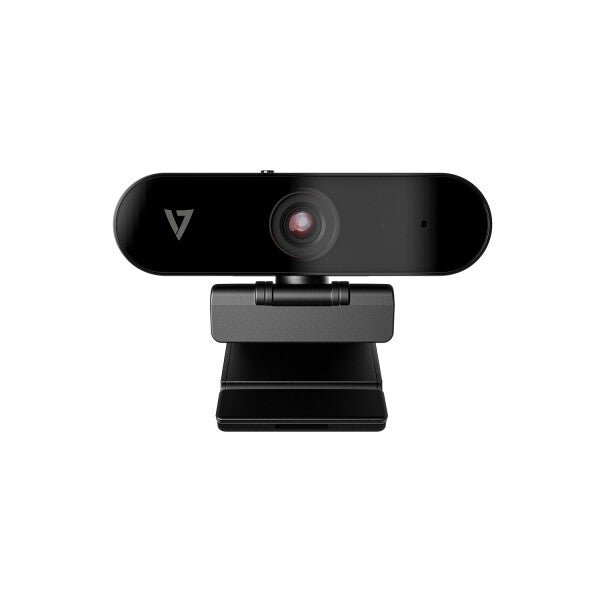
It offers multiple resolution settings, including 4K at 30 fps and 720p at 90 fps, providing flexibility for different use cases. The webcam’s AI-powered auto framing and presenter tracking ensure you remain the focal point during calls, while the electronic pan-tilt-zoom (ePTZ) and 5x digital zoom allow for precise control over the viewing angle.
The V7 webcam is equipped with a built-in noise-canceling microphone and an integrated privacy shutter for added security. Its compatibility with Windows, Mac, and ChromeOS, along with popular calling and streaming platforms, makes it a versatile choice for various users. Additionally, the V7 webcam app allows for further customization, enhancing the overall user experience.
Pros
- 4K Ultra HD resolution
- AI-powered auto framing and tracking
- Multiple field of view settings
- Built-in noise-canceling microphone
- Integrated privacy shutter
Cons
- Requires V7 webcam app for full functionality
Best for: Professionals who need high-quality video and advanced features for video conferencing.
Best budget: Logitech Brio 305
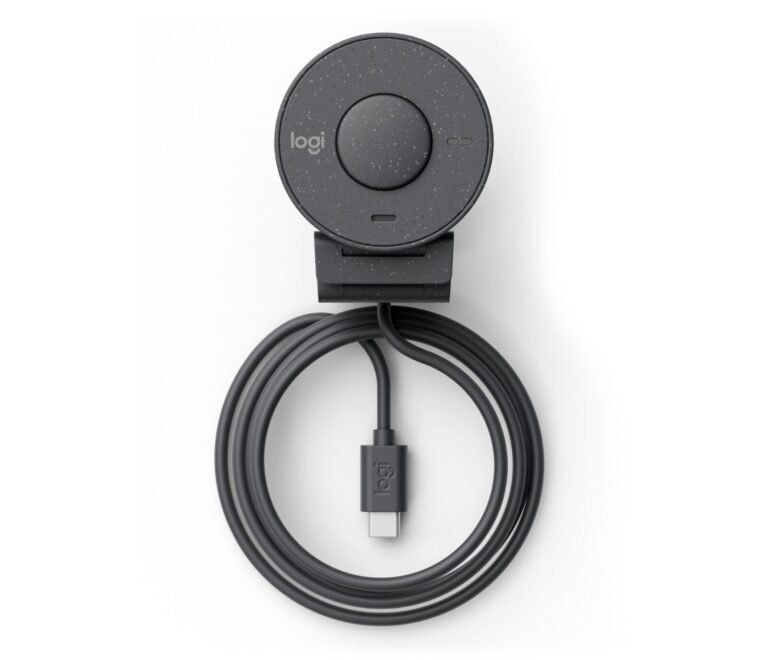
The Logitech Brio 305 is an excellent budget option, offering a balance of performance and affordability. With Full HD 1080p resolution and a noise-canceling mono microphone, it ensures clear video and audio for everyday use. The webcam is certified for Microsoft Teams, Zoom, and Google Meet, making it ideal for smooth integration into professional environments.
Logitech’s commitment to sustainability is evident in the Brio 305’s design, with at least 48% recycled plastic used in its construction. The webcam is easy to set up with its USB-C plug-and-play connectivity, and the integrated privacy shutter adds an extra layer of security. While it lacks some advanced features, the Brio 305 is a reliable and eco-friendly choice for budget-conscious users.
Pros
- Affordable price
- Full HD 1080p resolution
- Certified for major video platforms
- Sustainable design
- Integrated privacy shutter
Cons
- Fixed focus
- Limited to 30 fps at all resolutions
Best for: Budget-conscious users who need a reliable webcam for everyday video calls.
Best for gaming: ASUS ROG EYE S
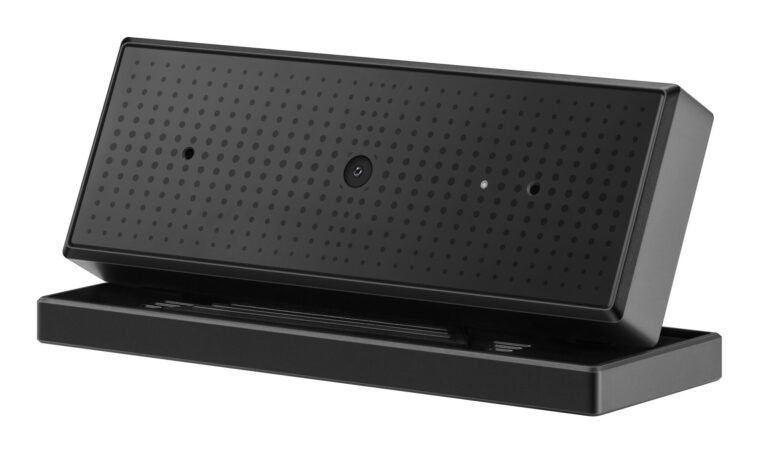
The ASUS ROG EYE S is tailored for gamers and streamers who demand high-quality visuals and sound. It offers smooth Full HD 1080p resolution at 60 fps, which is double the frame rate of conventional webcams, ensuring fluid and detailed video capture. The webcam’s AI-powered noise-canceling microphones and Face Auto Exposure technology enhance both audio and video clarity.
The compact and foldable design of the ROG EYE S makes it portable and easy to set up. It includes a blue-glass filter to reduce infrared light interference, resulting in more accurate colours. This webcam is designed to meet the needs of serious streamers who require precise video and audio quality without compromise.
Pros
- Full HD 1080p at 60 fps
- AI-powered noise-canceling microphones
- Face Auto Exposure technology
- Compact and foldable design
- Blue-glass filter for accurate colours
Cons
- Requires USB Type A connection
Best for: Gamers and streamers who need high frame rates and superior audio quality.
Best premium: i-tec SOLOMON PRO 900
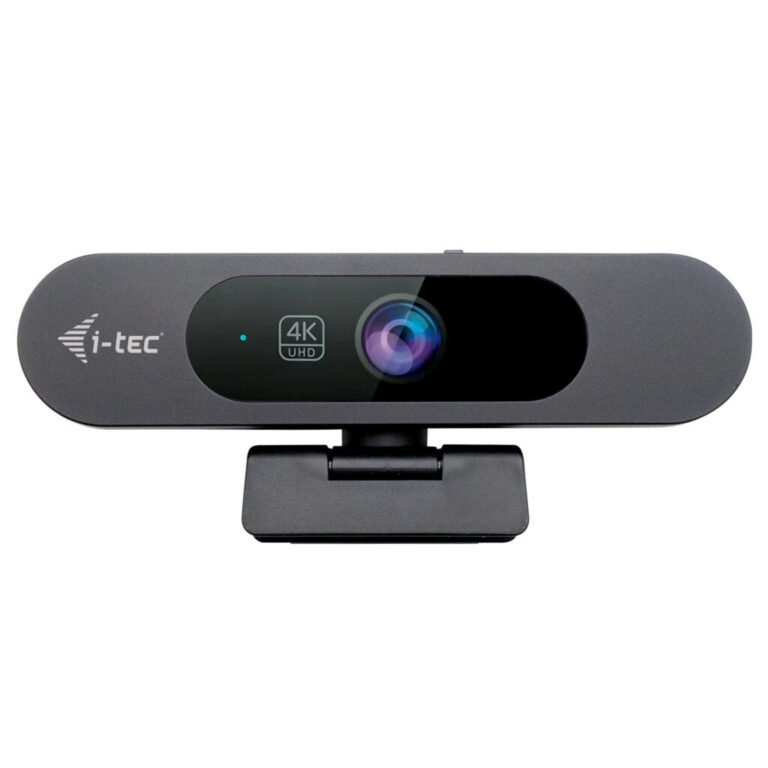
For those seeking a premium webcam experience, the i-tec SOLOMON PRO 900 delivers with its Ultra HD 4K resolution and advanced features. It includes Auto Framing, which tracks the speaker, and Wide Dynamic Range (WDR) for balanced exposure in varying lighting conditions. The wide 92° field of view and digital zoom capabilities ensure comprehensive coverage during meetings.
Designed for professional use, the SOLOMON PRO 900 features dual integrated microphones for clear stereo audio. Its plug-and-play operation and universal USB connectivity make it easy to use across different platforms. The integrated privacy shutter underscores its focus on security, making it a top choice for executives and professionals who require the best in video communication technology.
Pros
- Ultra HD 4K resolution
- Auto Framing and WDR
- Wide 92° field of view
- Dual integrated microphones
- Integrated privacy shutter
Cons
- Higher price
- Limited to USB connectivity
Best for: Executives and professionals who require top-tier video and audio quality for presentations and meetings.
Buying Guide
Resolution and Frame Rate
When choosing a webcam, resolution and frame rate are critical factors to consider. Higher resolutions, such as 4K, provide sharper and more detailed images, which is beneficial for professional presentations and streaming. However, Full HD 1080p resolution is generally sufficient for most users, offering a good balance between quality and performance.
Frame rate, measured in frames per second (fps), affects the smoothness of video playback. A higher frame rate, such as 60 fps, results in smoother video, which is especially important for gaming and fast-paced presentations. For general use, a frame rate of 30 fps is adequate, but those seeking superior smoothness should opt for higher frame rates.
Audio Quality
Audio quality is just as important as video quality in a webcam. Look for webcams with stereo microphones for a more natural sound experience.
Consider the microphone’s range and sensitivity, especially if you plan to use the webcam in larger rooms or noisy environments. Some webcams offer advanced audio technologies, such as beamforming, which can further improve sound quality by focusing on the speaker’s voice while minimizing background noise.
Ease of Use and Compatibility
Ease of use is an essential aspect to consider when selecting a webcam. Plug-and-play models that require no additional drivers are ideal for quick and hassle-free setup. USB connectivity, whether USB-A or USB-C, ensures compatibility with most devices.
Additionally, check the webcam’s compatibility with your operating system and preferred video conferencing platforms. Most modern webcams are compatible with Windows, macOS, and ChromeOS, but it’s always worth confirming to avoid compatibility issues. Integrated privacy shutters are also a valuable feature for those concerned about security.
Additional Features
Some webcams come with additional features that can enhance your video communication experience. Auto Framing and face tracking technologies can keep you centered in the frame, while digital zoom and pan-tilt capabilities offer more control over your video output.
Consider features like Wide Dynamic Range (WDR) for better image quality in challenging lighting conditions, and privacy shutters for peace of mind when the webcam is not in use. Advanced users may also appreciate webcams with customizable settings via dedicated apps, allowing for fine-tuning of image and audio parameters.
How We Chose
Our selection of the best webcams in 2026 is based on an analysis of manufacturer specifications, current UK retailer data, and widely published information. We aimed to cover a diverse range of budgets and needs, ensuring that each product offers a unique set of features and advantages.
The products were chosen to represent different price points, from budget-friendly options to premium models, while also highlighting specific use cases such as gaming and professional conferencing. This approach ensures that there is a suitable choice for every type of user.
Frequently Asked Questions
What resolution should I choose for a webcam?
The resolution you choose depends on your needs. For general use, Full HD 1080p is sufficient and provides clear video quality. If you require higher detail for professional presentations or streaming, consider a 4K webcam.
How important is frame rate in a webcam?
Frame rate is important for the smoothness of video playback. A higher frame rate, such as 60 fps, offers smoother video, which is beneficial for gaming and fast-paced content. For regular video calls, 30 fps is typically sufficient.
Do I need a webcam with a built-in microphone?
A built-in microphone is convenient for video calls and recordings, especially if you don’t have an external microphone. Look for webcams with noise-canceling features for clearer audio.
What is the benefit of an integrated privacy shutter?
An integrated privacy shutter provides peace of mind by allowing you to physically cover the webcam lens when not in use. This helps prevent unauthorized access and ensures your privacy.
Our Verdict
Selecting the right webcam depends on your specific needs and budget. Whether you require a high-resolution model for professional use, a budget-friendly option for everyday calls, or a high-frame-rate device for gaming, our picks offer a range of choices to suit different requirements. By considering factors such as resolution, frame rate, audio quality, and ease of use, you can find a webcam that enhances your online communication experience in 2026.