Ad: this article contains affiliate links. If you buy through them, we earn a commission at no extra cost to you. Our reviews are based on research into manufacturer specifications, retailer information and published sources; we have not tested every product ourselves. Prices and stock change often, so check the retailer before you buy.
In the digital age, a single laptop often becomes the hub of both work and entertainment. However, the limited number of ports on modern laptops can be a significant bottleneck. This is where laptop docks and port replicators come into play, transforming a laptop into a full-fledged workstation. These devices are crucial for professionals who need multiple displays, added connectivity options, and the ability to charge devices simultaneously.
Good laptop docks offer a balance of connectivity options, power delivery, and ease of use. The best ones support high-resolution displays, have multiple USB ports, and offer Ethernet connectivity.
In this guide, we explore a variety of options available in the market, each with its unique strengths. From docks that support triple displays to those with built-in power banks, you’ll find a solution that fits your specific requirements.
Our Picks at a Glance
| Award | Product | Best for |
|---|---|---|
| Best Overall | HP USB-C/A Universal Dock G2 | Business professionals needing a versatile and powerful docking station. |
| Best for Travel | StarTech.com USB C Multiport Adapter | Frequent travellers needing a portable and versatile docking solution. |
| Best for Multi-Display Setups | j5create JCD543P USB-C Triple Display Docking Station | Professionals requiring multiple monitor setups for enhanced productivity. |
| Best All-in-One Solution | ALOGIC USB-C Dock Wave | On-the-go users needing an all-in-one docking and charging solution. |
Best Overall: HP USB-C/A Universal Dock G2
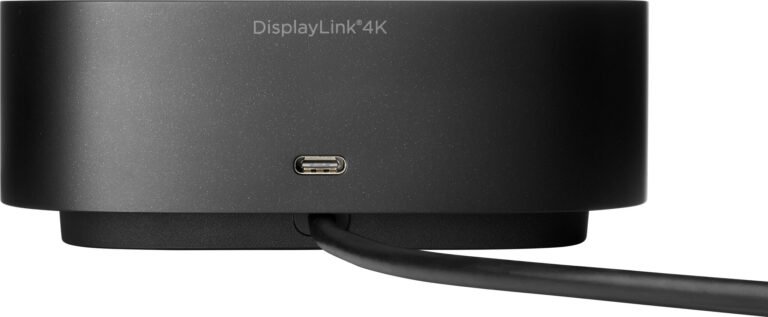
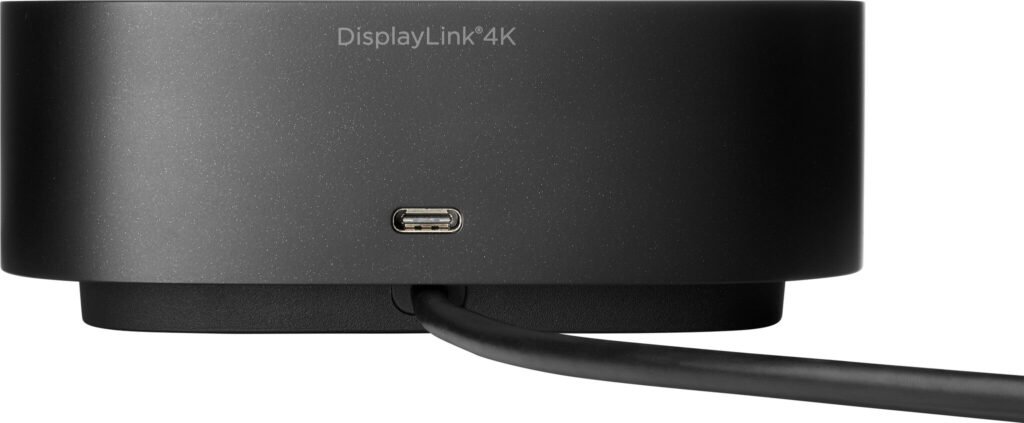
It supports both HP and non-HP laptops, offering the ability to connect up to three 4K displays. The dock’s compact design ensures it doesn’t take up much desk space, while its advanced network manageability features are a boon for IT departments.
This dock also includes a USB-A adapter, making it versatile for different laptop connections. With advanced features like PXE Boot, LAN/WLAN switching, and remote manageability, it’s a powerful choice for business environments looking to streamline their docking solutions.
Pros
- Universal compatibility with USB-C/A
- Supports up to three 4K displays
- Compact and space-saving design
- Advanced network management features
- Includes USB-A adapter for legacy devices
Cons
- May require additional adapters for legacy charging
- Some features specific to HP laptops
Best for: Business professionals needing a versatile and powerful docking station.
Best for Travel: StarTech.com USB C Multiport Adapter
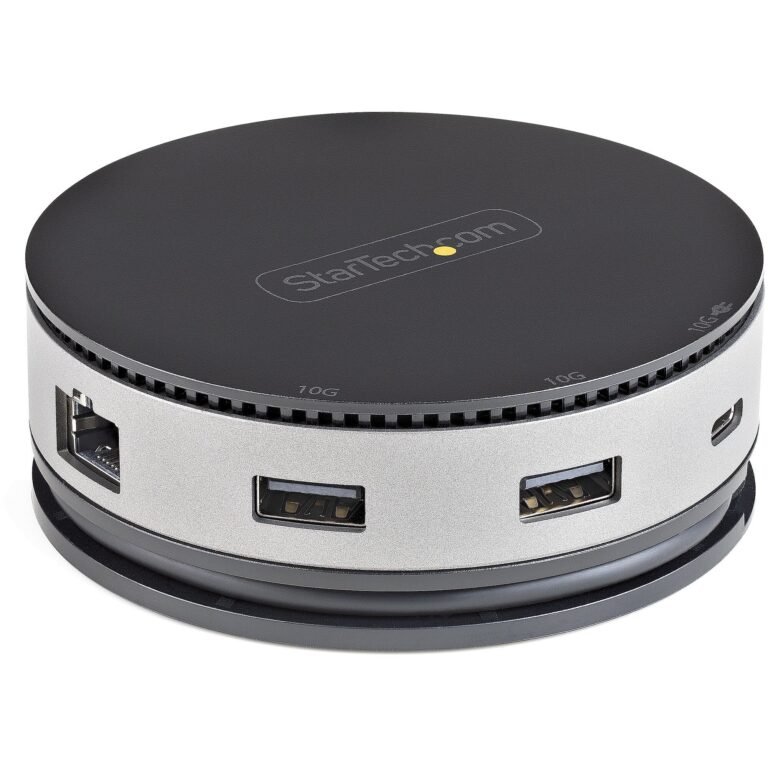
The StarTech.com USB C Multiport Adapter is designed for those who need a compact and portable docking solution. It provides a robust set of features in a small package, making it ideal for on-the-go professionals. The adapter supports a single display with options for HDMI, DisplayPort, or VGA, up to 4K resolution at 60Hz. Its integrated USB hub includes multiple USB ports and a gigabit Ethernet port, ensuring you have all the connectivity you need.
This adapter is particularly useful for those with USB-C ultrabooks, Chromebooks, or tablets. It offers 75W Power Delivery passthrough, with 15W reserved for the adapter itself, ensuring stable performance without power-related issues. The extra-long cable reduces strain on ports, making it suitable for various devices, including iPads and Surface Pros.
Pros
- Compact and portable
- Supports 4K 60Hz display output
- Includes a gigabit Ethernet port
- 75W Power Delivery passthrough
- Wide compatibility with devices
Cons
- Limited to one display output at a time
- Requires DP 1.4 Alt Mode for 4K 60Hz
Best for: Frequent travellers needing a portable and versatile docking solution.
Best for Multi-Display Setups: j5create JCD543P USB-C Triple Display Docking Station

The j5create JCD543P is ideal for users who require extensive display setups. It supports up to three external displays with a combination of HDMI, VGA, and DisplayPort outputs. This flexibility, along with the ability to use your laptop screen, allows for a total of four displays, making it perfect for multitaskers and professionals who need expansive screen real estate.
Additionally, this dock provides 100W Power Delivery, ensuring your laptop and peripherals remain powered throughout the day. It also includes four USB ports, an Ethernet port, and SD/microSD card slots, making it a comprehensive solution for a full-sized workstation.
Pros
- Supports up to four displays including laptop screen
- 100W Power Delivery
- Multiple USB ports for peripherals
- Includes Ethernet and card reader
- Advanced heat-eliminating design
Cons
- VGA limits resolution to 1080p
- Bulky compared to more compact options
Best for: Professionals requiring multiple monitor setups for enhanced productivity.
Best All-in-One Solution: ALOGIC USB-C Dock Wave
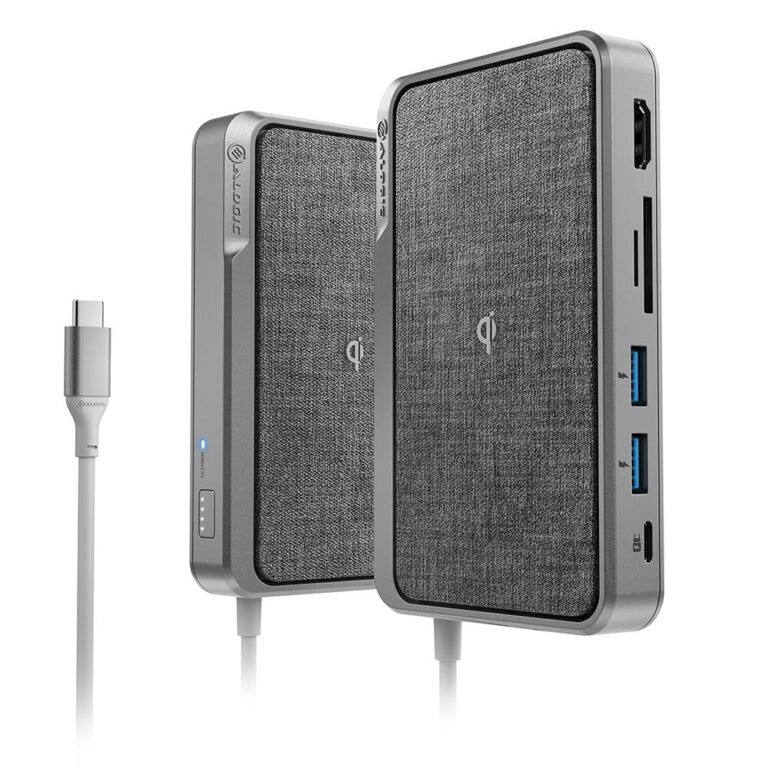
The ALOGIC USB-C Dock Wave is a unique all-in-one device that combines a USB-C dock, power bank, and wireless charger. Its 5,000mAh power bank ensures your devices stay charged on the go, while the built-in wireless charging pad offers added convenience.
In terms of connectivity, the Dock Wave includes 4K HDMI output, SD and microSD card readers, and multiple USB ports. Its compact design and multifunctionality make it an ideal travel companion, reducing the need for multiple devices.
Pros
- Combines dock, power bank, and wireless charger
- Includes 4K HDMI output
- Compact and portable design
- SD and microSD card readers
- Multiple USB ports for connectivity
Cons
- Limited to 30Hz for 4K HDMI output
- Wireless charging may be slower than wired
Best for: On-the-go users needing an all-in-one docking and charging solution.
Buying Guide
Connectivity Options
When selecting a laptop dock, consider the types and number of ports available. A good dock should offer a mix of USB-A, USB-C, HDMI, DisplayPort, and Ethernet ports. This ensures you can connect various devices such as monitors, external drives, and network cables. If you plan to use multiple displays, ensure the dock supports the necessary video outputs and resolutions.
Some docks also include SD card slots and audio jacks, which can be useful for photographers or those needing additional audio connectivity. Evaluate your specific needs and choose a dock that provides the right balance of ports for your setup.
Power Delivery
Power Delivery (PD) is a crucial feature if you want your dock to charge your laptop while in use. Look for docks that offer at least 60W of PD, though 100W is preferable for power-hungry laptops. This ensures that your laptop remains charged even while using power-intensive applications.
Additionally, consider whether the dock reserves some power for its own operation. This can prevent issues like video flickering or device dropouts. Check the specifications to ensure the dock’s power delivery aligns with your laptop’s requirements.
Portability and Design
The design and portability of a dock are important if you plan to move it frequently. Compact and lightweight docks are ideal for travel or hot-desking environments. Look for docks with detachable cables or those that offer cable management features to reduce clutter.
For permanent setups, consider the dock’s footprint on your desk and whether it offers features like VESA mounting. A well-designed dock should integrate smoothly into your workspace without taking up excessive space.
Compatibility
Ensure the dock is compatible with your laptop’s operating system and connection ports. Most modern docks support USB-C and Thunderbolt connections, but it’s important to verify compatibility with your specific device. Some docks offer universal compatibility, working with both Windows and macOS, while others may have limitations.
Check if the dock supports the operating system’s features, such as macOS’s limitations with Multi Stream Transport (MST) for multiple displays. This can impact how you set up your monitors and overall productivity.
How We Chose
Our selection process was based on a thorough evaluation of manufacturer specifications, current UK retailer data, and published information. We aimed to cover a range of budgets and use cases, ensuring that each pick serves a specific need, from travel-friendly options to multi-display setups. Key factors included connectivity options, power delivery capabilities, and compatibility with various devices.
By focusing on these criteria, we identified products that provide the best value and functionality within their respective categories. Each product was chosen to address different user requirements, ensuring a comprehensive guide for potential buyers.
Buying Questions Answered
Frequently Asked Questions
Can I use these docks with any laptop?
Most of the docks listed are designed to be compatible with a wide range of laptops, especially those with USB-C, USB-A, or Thunderbolt ports. However, it’s important to check the specific compatibility details for each dock to ensure it works with your laptop model.
Do these docks support charging my laptop?
Yes, many of the docks featured in this guide offer Power Delivery, which allows them to charge your laptop while in use. The power output varies, so ensure the dock’s power delivery capacity matches your laptop’s power needs.
Can I connect multiple monitors to these docks?
Several docks in this guide support multiple monitor setups, with options for dual or triple displays. It’s important to verify the supported resolutions and connection types, as well as any operating system limitations, to ensure compatibility with your desired setup.
Our Verdict
Whether you need a compact travel companion, a device for multi-display setups, or an all-in-one solution with charging capabilities, the options in this guide offer something for everyone. Evaluate your specific needs and consider the features that matter most to you, ensuring you select a device that complements your workflow and setup.