Ad: this article contains affiliate links. If you buy through them, we earn a commission at no extra cost to you. Our reviews are based on research into manufacturer specifications, retailer information and published sources; we have not tested every product ourselves. Prices and stock change often, so check the retailer before you buy.
In the digital era, a reliable mouse can greatly enhance productivity and comfort. The market offers a variety of options, from budget-friendly models to high-end gaming mice, each catering to different needs and preferences.
This guide explores a selection of mice that stand out for their unique features and functionalities. From ergonomic designs that reduce wrist strain to high-precision sensors for gamers, there’s a mouse for every user. We’ll cover a range of products, highlighting their strengths and potential drawbacks, to help you find the perfect match for your requirements.
Our Picks at a Glance
| Award | Product | Best for |
|---|---|---|
| Best Overall | Logitech M720 Triathlon | General users needing a versatile and durable mouse. |
| Best for Left-Handed Users | Cherry MW 4500 | Left-handed users seeking ergonomic comfort. |
| Best for Hygiene | Fellowes Ambidextrous Vertical Mouse | Users prioritising hygiene and ergonomic use. |
| Best for Gaming | Pulsar Susanto-X | Competitive gamers needing precision and speed. |
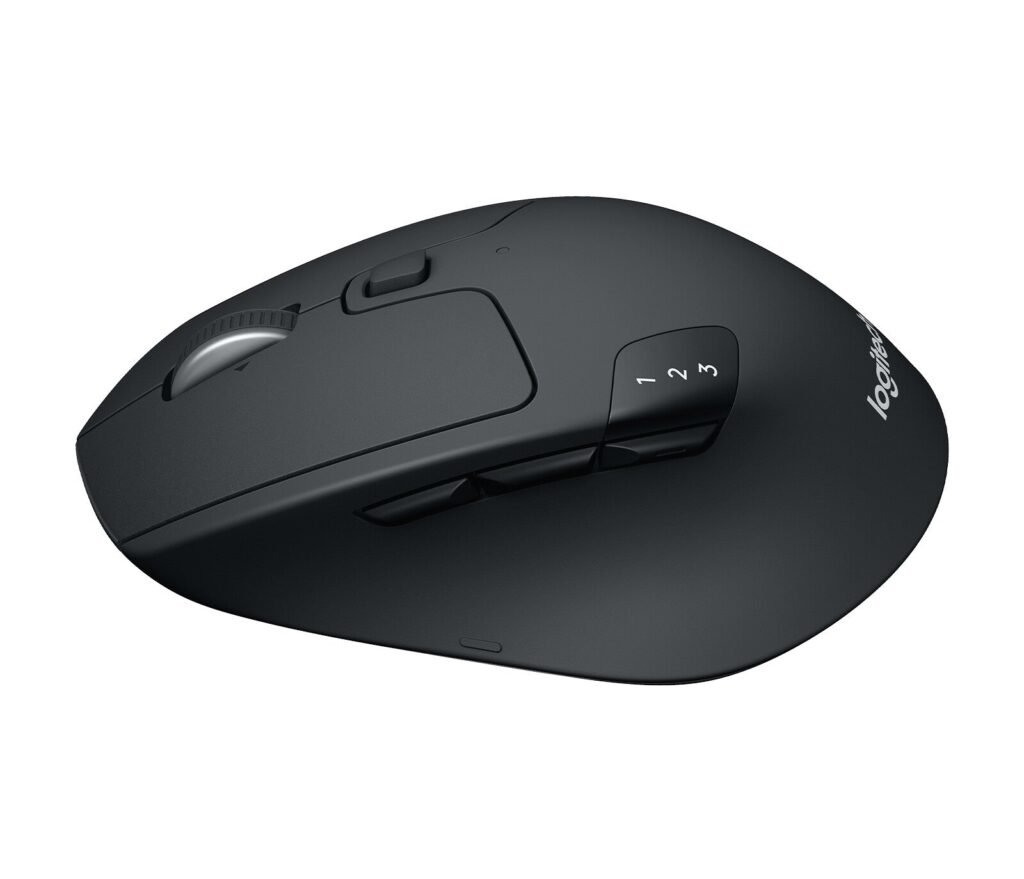
Best Overall: Logitech M720 Triathlon

The Logitech M720 Triathlon offers a blend of versatility, comfort, and endurance, making it a great all-rounder. With a long battery life of up to 24 months, this mouse is designed for efficiency. It supports multi-device connectivity, allowing users to switch between up to three devices smoothly.
Its ergonomic design ensures a comfortable grip, and the hyper-fast scrolling feature is perfect for quickly navigating lengthy documents. The M720 is compatible with multiple operating systems and offers customisable buttons for personalised productivity. While it is designed for right-handed users, its overall functionality and durability make it a top choice for most users.
Pros
- Long battery life
- Multi-device connectivity
- Ergonomic design
- Hyper-fast scrolling
- Customisable buttons
Cons
- Right-hand only
- No RGB lighting
Best for: General users needing a versatile and durable mouse.
Best for Left-Handed Users: Cherry MW 4500
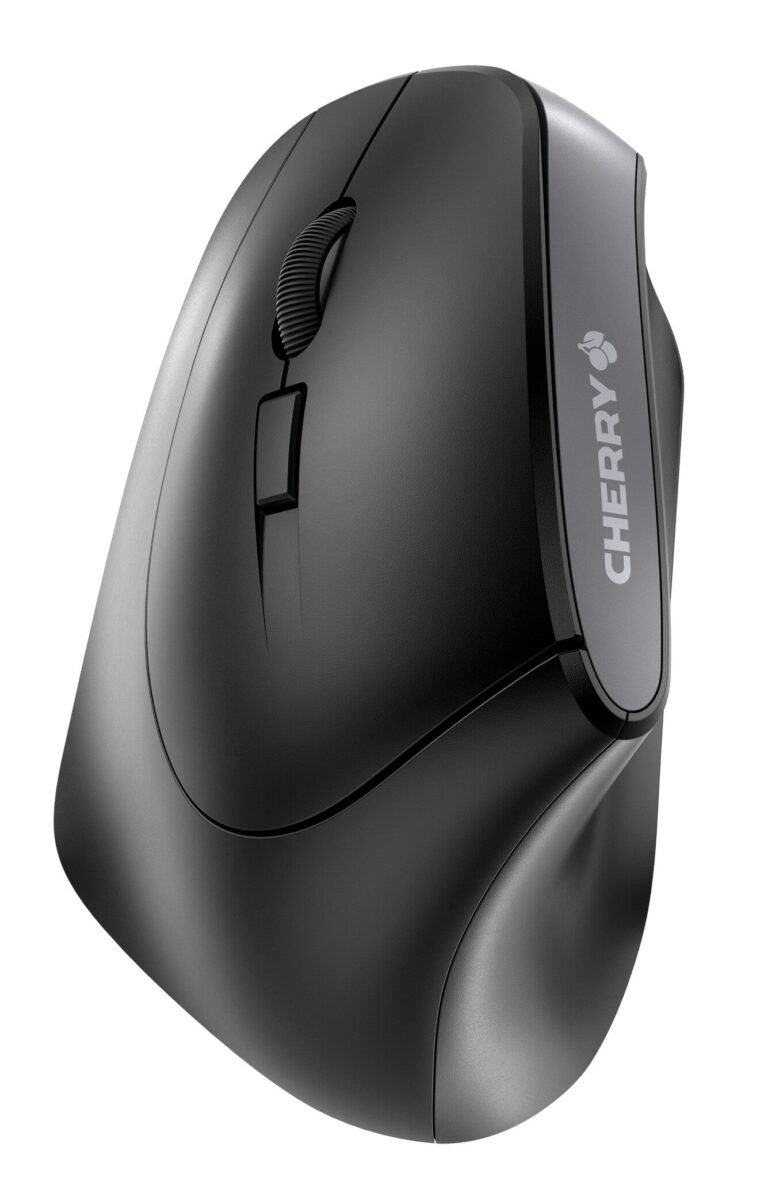
The Cherry MW 4500 is tailored specifically for left-handed users, offering an ergonomic vertical design that helps prevent wrist strain. With a 45° angle, this mouse supports a natural hand position, reducing the risk of repetitive strain injuries. It features a precise optical sensor with adjustable DPI settings up to 1200, allowing for smooth and accurate cursor control.
The mouse includes six buttons, which can be customised using Cherry’s software, and a nano receiver for wireless connectivity up to 10 meters. While it excels in ergonomic design, its main limitation is its suitability for left-handed users only, making it less versatile for shared use.
Pros
- Ergonomic design for left-handers
- Adjustable DPI settings
- Customisable buttons
- Wireless connectivity
- Long range
Cons
- Not suitable for right-handed users
- Limited DPI compared to gaming mice
Best for: Left-handed users seeking ergonomic comfort.
Best for Hygiene: Fellowes Ambidextrous Vertical Mouse
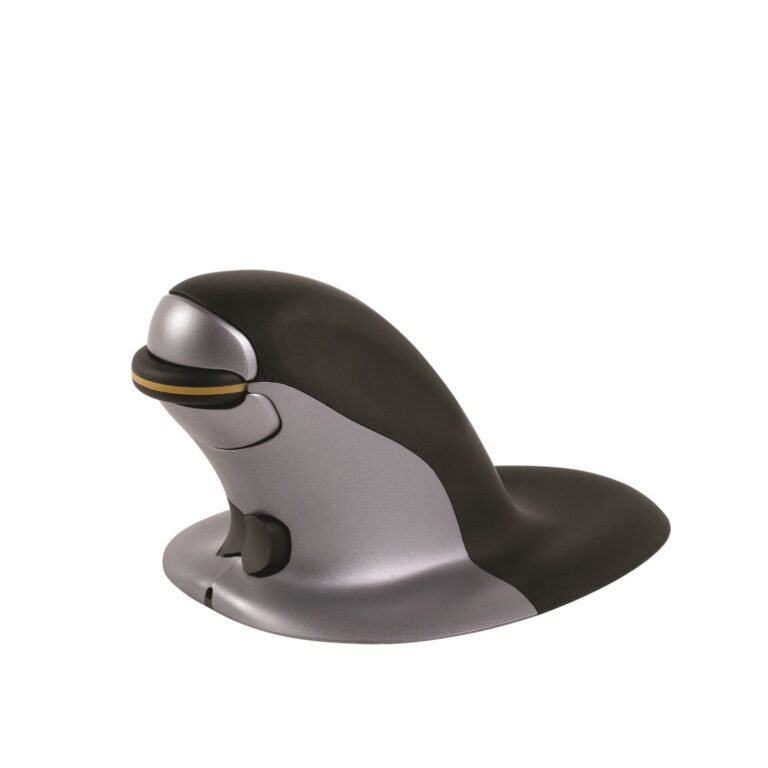
The Fellowes Ambidextrous Vertical Mouse is designed to minimise wrist strain while offering an added layer of hygiene with its antimicrobial technology. This feature continuously protects the mouse from bacteria and mould, making it ideal for high-use environments. Its vertical design supports an ergonomic posture and is suitable for both left and right-handed users.
This mouse offers adjustable DPI settings ranging from 400 to 1200, ensuring precise control. It’s compatible with multiple operating systems, making it versatile for various users. However, its small size may not be comfortable for users with larger hands, and its premium price reflects its unique features.
Pros
- Antimicrobial technology
- Ambidextrous use
- Adjustable DPI
- Ergonomic design
- Multi-OS compatibility
Cons
- Premium price
Best for: Users prioritising hygiene and ergonomic use.
Best for Gaming: Pulsar Susanto-X
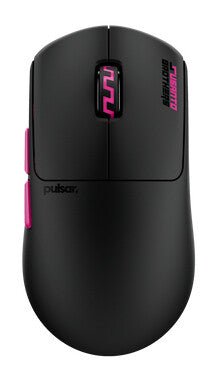
The Pulsar Susanto-X is engineered for gamers seeking precision and speed. Developed in collaboration with esports professionals, this mouse features an ultra-lightweight design at just 50 grams, making it ideal for rapid movements. It has a high-performance optical sensor with a staggering 32,000 DPI and an 8K polling rate, ensuring top-tier accuracy.
Its symmetrical shape supports both claw and relaxed claw grips, and its customisable buttons and macros cater to personal gaming preferences. While it excels in gaming performance, its high DPI settings and specialised design may be unnecessary for non-gamers, and its price reflects its professional-grade capabilities.
Pros
- Ultra-lightweight design
- 32,000 DPI sensor
- 8K polling rate
- Customisable buttons and macros
- Symmetrical shape for various grips
Cons
- High price
Best for: Competitive gamers needing precision and speed.
Buying Guide
Ergonomics and Comfort
When selecting a mouse, ergonomics should be a top priority, especially for users who spend prolonged periods at a computer. An ergonomic design helps prevent wrist strain and repetitive stress injuries. Look for features like vertical designs or sculpted shapes that support a natural hand position.
Consider the size of the mouse as well, ensuring it fits comfortably in your hand. Some models offer size options, allowing you to choose one that matches your hand dimensions. A comfortable mouse reduces fatigue and enhances productivity.
Sensitivity and Precision
The sensitivity of a mouse is measured in dots per inch (DPI), which indicates how much the cursor moves on the screen relative to the physical movement of the mouse. Higher DPI settings offer more sensitivity, which can be useful for gaming or detailed graphic work.
Adjustable DPI settings provide flexibility, allowing you to switch between high precision for detailed tasks and lower sensitivity for general use. Consider your specific needs when evaluating DPI, as higher numbers may not be necessary for every user.
Connectivity Options
Mice typically offer either wired or wireless connectivity, with some models providing both options. Wireless mice offer greater freedom of movement and fewer cable tangles, while wired mice ensure a consistent connection without the need for batteries.
For wireless models, consider the type of receiver used, such as a nano receiver or Bluetooth, and the range it offers. Battery life is also crucial, as frequent recharging can be inconvenient. Choose a mouse with connectivity options that best suit your work environment.
Additional Features
Modern mice come with a variety of additional features that can enhance their functionality. Customisable buttons allow you to assign specific functions or macros, increasing efficiency for repetitive tasks. Some models also offer RGB lighting for a personalised aesthetic.
Consider compatibility with different operating systems, especially if you use multiple devices. Multi-device connectivity can be a valuable feature for users who need to switch between computers or tablets. Evaluate these features based on your personal preferences and workflow needs.
How We Chose
Our selection process was based on examining manufacturer specifications, current UK retailer data, and published product information. We aimed to cover a range of budgets and use cases, ensuring each pick meets specific user needs. The chosen products reflect a balance of performance, comfort, and unique features, catering to both general and specialised users.
Buying Questions Answered
Frequently Asked Questions
What is the benefit of a vertical mouse design?
A vertical mouse design promotes a more natural hand position, reducing strain on the wrist and forearm. This ergonomic feature helps prevent conditions like carpal tunnel syndrome, making it beneficial for users who spend long hours on the computer.
How do I choose the right DPI setting?
The right DPI setting depends on your usage needs. Higher DPI settings are ideal for tasks requiring precision, such as gaming or graphic design, while lower settings may suffice for general browsing and office work. Some mice offer adjustable DPI to switch between different tasks easily.
Are wireless mice reliable for gaming?
Modern wireless mice offer reliable performance for gaming, with advanced sensors providing high DPI and polling rates. Look for models with low latency and strong wireless connections, such as those using RF technology, to ensure consistency during gameplay.
Can I use a gaming mouse for general office work?
Yes, gaming mice can be used for general office work. They often offer higher precision and customisable buttons, which can enhance productivity. However, their additional features and higher DPI settings may be more than necessary for typical office tasks.
Our Verdict
Our guide highlights a range of products catering to different needs, from ergonomic designs for left-handed users to high-performance gaming mice. Each pick offers unique features and strengths, ensuring there’s an option for every user. Consider your specific requirements and preferences to find the perfect mouse that complements your workflow.