

Ad: this article contains affiliate links. If you buy through them, we earn a commission at no extra cost to you. Our reviews are based on research into manufacturer specifications, retailer information and published sources; we have not tested every product ourselves. Prices and stock change often, so check the retailer before you buy.
In an era where workspace efficiency is paramount, professionals are often seeking a streamlined computing solution that doesn’t compromise on performance or aesthetics. The Lenovo ThinkCentre M70a Gen 6 aims to address this need with its all-in-one design, integrating powerful hardware into a compact form factor. This model features an Intel Core Ultra 5 225T processor, 16 GB of DDR5 RAM, and a 512 GB SSD, making it suitable for multitasking environments.
Positioned as a mid-range option within Lenovo’s lineup, the M70a Gen 6 is designed for small to medium business users, remote workers, and anyone needing a reliable desktop solution without the clutter of separate components. Its 23.8-inch Full HD display promises clear visuals, while integrated AI features enhance user experience. However, potential buyers must consider its limitations alongside its strengths to determine if it fits their specific requirements.
The M70a Gen 6 brings modern connectivity with Wi-Fi 6E support, ensuring fast and stable internet access, which is crucial for cloud-based applications and video conferencing. Additionally, robust security features are built in, including a Trusted Platform Module (TPM), which is essential for protecting sensitive business data. With a sleek black design, it also complements any office décor, making it a practical choice for professional settings.
Pros
- Powerful Intel Core Ultra 5 225T processor for efficient multitasking.
- 16 GB DDR5 RAM for smooth performance in demanding applications.
- Fast 512 GB SSD for quick boot and load times.
- Wi-Fi 6E support provides enhanced connectivity.
- Robust security features including TPM and privacy camera.
Cons
- No discrete graphics card limits performance for graphic-intensive tasks.
- Display brightness may not satisfy professional graphic designers.
- Limited storage capacity may require additional cloud or external storage solutions.
- Lack of touchscreen functionality could deter some users.
In Depth
Performance Specifications
At the heart of the Lenovo ThinkCentre M70a Gen 6 is the Intel Core Ultra 5 225T processor, which features 10 cores and 10 threads, making it capable of handling demanding tasks such as data analysis and graphic design. The processor operates at a base frequency of 2.5 GHz and can boost up to 4.9 GHz when needed, providing flexibility for various workloads. The 20 MB Smart Cache enhances the processor’s efficiency by reducing latency in data retrieval, which is especially beneficial when running multiple applications simultaneously.
Complementing the processor is 16 GB of DDR5 RAM, with a maximum capacity of 64 GB. This allows for smooth multitasking and the ability to run memory-intensive applications without slowdown. The RAM operates at a speed of 5600 MHz, which is advantageous for quick data access and overall system responsiveness. This combination of CPU and RAM is designed to meet the needs of users who require both speed and power in a compact setup.
Storage and Connectivity
The M70a Gen 6 comes equipped with a 512 GB SSD, which utilizes PCI Express 4.0 technology. This ensures faster boot times and quicker file access compared to traditional hard drives. The SSD’s NVMe interface further enhances performance, making it suitable for users who frequently work with large files or run demanding applications. However, potential buyers should assess their storage needs, as 512 GB may be limiting for those who work extensively with large datasets or multimedia files.
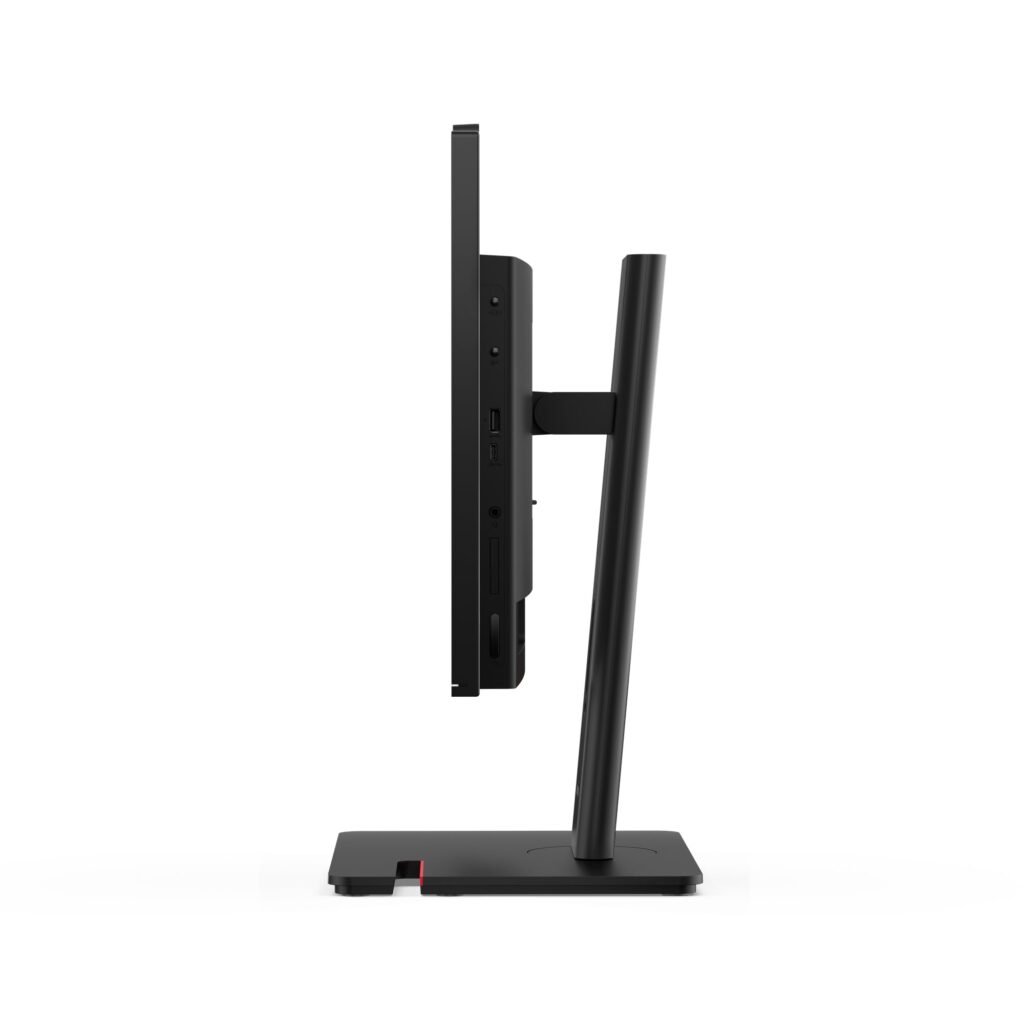
In terms of connectivity, the all-in-one PC supports the latest Wi-Fi 6E standard, which offers improved speeds and reliability over previous generations. This is particularly beneficial for remote workers who rely on stable internet connections for video calls and online collaboration tools. Additionally, the M70a Gen 6 includes multiple USB ports (both Type-A and Type-C), an HDMI output, and Ethernet capabilities, ensuring compatibility with various peripherals and networking setups.
Display Quality
The 23.8-inch IPS display has a resolution of 1920 x 1080 pixels, providing a Full HD viewing experience. With a brightness of 250 cd/m² and a 99% sRGB color gamut, the display is adequate for general productivity tasks, such as document editing and web browsing. The anti-glare screen is especially useful in brightly lit environments, reducing reflections that could hinder visibility. However, professionals in graphic design or video editing may find the color accuracy and brightness levels somewhat lacking for more demanding visual tasks.
The lack of touchscreen functionality may also be a consideration for users who prefer interactive displays for navigation or creative work. While many find traditional mouse and keyboard setups sufficient, those accustomed to touchscreens might need to adjust to a different workflow.
Security Features
Security is a significant focus for the Lenovo ThinkCentre M70a Gen 6, particularly for business environments where data protection is critical. The device features a Trusted Platform Module (TPM) 2.0, which provides hardware-based security functions, including secure boot and encryption capabilities. This is essential for safeguarding sensitive information and ensuring compliance with data protection regulations.
Additionally, the built-in privacy camera with a privacy shutter enhances user security during video calls. The presence of a Kensington lock slot further adds to the physical security of the device, allowing users to secure it in shared workspaces. These features make the M70a Gen 6 a viable option for businesses that prioritize data security.
Limitations and Running Costs
While the Lenovo ThinkCentre M70a Gen 6 offers many strengths, it is not without its limitations. The absence of a discrete graphics card means that users who require advanced graphics capabilities for tasks like 3D modeling or gaming may need to look elsewhere. The integrated Intel Graphics may suffice for everyday tasks, but heavy graphical workloads could lead to performance bottlenecks.
In terms of running costs, the device is relatively energy-efficient, with an AC adapter rated at 90 W. However, users should consider the potential for increased electricity costs if the device is used for extended periods, especially in high-demand scenarios. Additionally, while the 512 GB SSD is fast, users may incur costs for cloud storage solutions or external drives if they require more space.
Who It’s For
Small to medium business professionals needing a reliable and secure all-in-one solution.
Remote workers who require efficient multitasking and connectivity.
Students looking for a compact desktop for studying and general use.
Use Cases
Home Office Setup
For remote workers, the Lenovo ThinkCentre M70a Gen 6 serves as an efficient home office solution. Its powerful processor and ample RAM ensure that users can run multiple applications simultaneously, facilitating productivity during work hours.
Small Business Use
Small businesses can benefit from the M70a Gen 6’s robust security features, making it suitable for handling sensitive client information. The all-in-one design minimizes clutter, enhancing the workspace aesthetic.
Educational Environment
Students can utilize this all-in-one PC for both studying and leisure activities. The Full HD display is adequate for online classes, while the compact design allows for easy integration into smaller living spaces.
Also consider

How We Researched This
This review is based on the specifications provided by the manufacturer and retailer data. Key performance indicators such as the processor type, RAM specifications, storage capacity, and display quality were analyzed to gauge the device’s suitability for various user needs. Comparison was made against similar models within Lenovo’s product range and other competitors in the all-in-one market to assess value and functionality.
The evaluation also considered user scenarios, such as remote work and small business applications, to ensure that the identified strengths and weaknesses align with real-world usage. Security features were highlighted based on the growing importance of data protection in professional settings, making them a focal point in the review.
Frequently Asked Questions
What is included in the box?
The Lenovo ThinkCentre M70a Gen 6 comes with a wired keyboard and mouse, ensuring you have all necessary input devices ready for use.
Can the RAM be upgraded?
Yes, the M70a Gen 6 has a maximum internal memory capacity of 64 GB, allowing for future upgrades if needed.
Is there a touchscreen option available?
No, the M70a Gen 6 does not feature a touchscreen. Users should consider this if touchscreen functionality is a priority.
What security features does this model have?
The device includes a Trusted Platform Module (TPM) for secure data handling and a privacy shutter on the camera for enhanced user security during video calls.
Our Verdict
The Lenovo ThinkCentre M70a Gen 6 is a solid choice for professionals seeking a reliable all-in-one PC with strong performance and security features. However, those requiring advanced graphics capabilities or extensive storage may need to explore alternative options.
Where to buy
Best for: Small to medium business professionals needing a reliable and secure all-in-one solution.
We earn a commission if you buy through these links, at no extra cost to you. How we make money

