Ad: this article contains affiliate links. If you buy through them, we earn a commission at no extra cost to you. Our reviews are based on research into manufacturer specifications, retailer information and published sources; we have not tested every product ourselves. Prices and stock change often, so check the retailer before you buy.
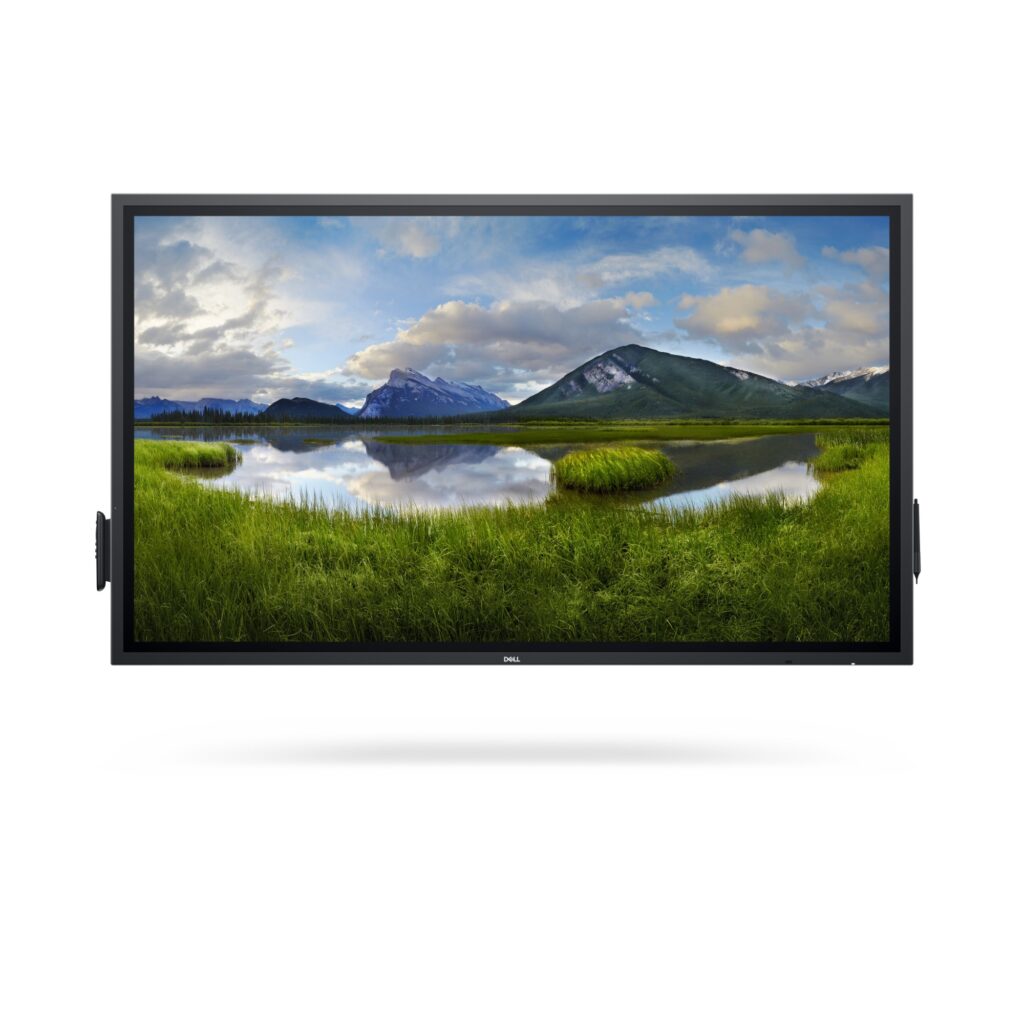
In modern workplaces and educational settings, the need for effective collaboration tools has never been greater. Traditional presentation methods often fall short of facilitating smooth interaction, particularly in hybrid environments where both in-person and remote participants are involved. The DELL P6524QT addresses this challenge with its 65-inch 4K UHD interactive flat panel, designed to enhance communication and productivity among teams.
This interactive display features 20-point touch support and USB-C connectivity, making it a versatile solution for a range of applications. With its built-in dual 20W speakers, it aims to deliver clear audio during presentations, while palm-rejection technology allows multiple users to interact with the screen without interference. This product positions itself within the mid-range category of interactive displays, appealing to corporate teams, educational institutions, and creative professionals alike.
However, while the DELL P6524QT offers a robust set of features, it also presents certain limitations that potential buyers should consider. Its brightness and resolution may not meet the expectations of all users, particularly those in brightly lit environments or those requiring advanced color calibration for design work. Understanding these factors is crucial for making an informed decision about this interactive display.
Pros
- 65-inch 4K UHD resolution for sharp visuals
- 20-point touch capability enhances interactive experiences
- USB-C connectivity simplifies connections with modern laptops
- Built-in dual 20W speakers deliver decent sound quality
- Palm-rejection technology prevents accidental touches during use
- Robust design suitable for high-traffic collaborative spaces
Cons
- 350 cd/m² brightness may be insufficient for brightly lit rooms
- Limited to 4K resolution, which might not satisfy high-end graphics users
- Lacks advanced calibration options for color-critical work
- Price point may be high for small businesses or personal use
- Heavyweight design makes wall mounting more challenging
In Depth
Display Quality and Size
The DELL P6524QT features a 65-inch 4K UHD resolution, providing sharp visuals that can enhance presentations and collaborative work. This high resolution allows for detailed images and text, making it suitable for a variety of applications, from business meetings to classroom lectures. However, while the resolution is impressive, it is limited to 4K, which may not meet the needs of high-end graphics users who require even higher resolutions for detailed design work.
In practical terms, the size of the display also plays a significant role in its effectiveness. A 65-inch screen is large enough to be viewed comfortably in medium to large conference rooms or classrooms, enabling multiple participants to engage with the content simultaneously. This size is particularly beneficial in collaborative settings where visual clarity is paramount, but it may not be ideal for smaller spaces where a smaller screen could suffice.
Touch Functionality and User Interaction
One of the standout features of the DELL P6524QT is its 20-point touch support, which allows multiple users to interact with the screen at the same time. This capability is particularly useful during brainstorming sessions or group activities, where collaboration is essential. The palm-rejection technology further enhances this experience by preventing accidental touches, ensuring that users can freely write or draw on the screen without interruptions.
In real-world scenarios, this multi-touch capability can significantly improve the dynamics of meetings and presentations. Participants can engage with the display directly, making notes, highlighting information, or navigating through content collaboratively. However, the effectiveness of this feature can be influenced by the environment; for instance, if the display is used in a setting with excessive glare or poor lighting, the touch experience may be compromised.
Connectivity Options
The DELL P6524QT includes USB-C connectivity, which simplifies the connection process with modern laptops and devices. This single-cable solution not only transmits video and audio but also provides power to compatible devices, reducing cable clutter and enhancing usability. This feature is particularly beneficial in environments where users frequently switch between devices or need to connect laptops quickly for presentations.
Despite its advantages, potential buyers should consider their existing setup and ensure compatibility with USB-C devices. While this display supports various connection types, including HDMI and DisplayPort, relying solely on USB-C may limit accessibility for users with older devices. Therefore, it’s important to evaluate the connectivity needs of your team before committing to this display.
Audio Performance
The built-in dual 20W speakers of the DELL P6524QT provide decent sound quality for presentations and meetings. This feature eliminates the need for external speakers in typical collaborative settings, making it a convenient option for users who prioritize simplicity and ease of setup. Clear audio is essential for effective communication, especially in hybrid meetings where remote participants rely on sound clarity to engage fully.
However, while the audio performance is satisfactory for most scenarios, those requiring high-fidelity sound for multimedia presentations may find it lacking. Users should assess their specific audio needs, particularly if they plan to showcase videos or host events where sound quality is paramount. In such cases, investing in external audio solutions might be necessary.
Limitations and Considerations
One notable limitation of the DELL P6524QT is its brightness level, rated at 350 cd/m². In brightly lit rooms, this brightness may not be sufficient to ensure clear visibility of content on the screen, potentially hindering effective collaboration. Users in environments with substantial natural light or artificial lighting should consider this factor when evaluating the display’s suitability.
Additionally, the weight of the display can pose challenges during installation. Its robust design is suitable for high-traffic areas, but the heavy construction makes wall mounting more complicated. Buyers should factor in installation services or consider their ability to handle the mounting process safely.
Who It’s For
Corporate teams that require efficient collaboration tools for meetings
Educational institutions looking for interactive displays for classrooms
Design and creative professionals needing a large display for presentations
Use Cases
Corporate Team Meetings
In a corporate setting, the DELL P6524QT serves as an effective tool for team meetings. Its large display and multi-touch capabilities allow team members to brainstorm ideas and present data dynamically, making the meeting more engaging and productive.
Classroom Learning
For educational institutions, this interactive display can transform classroom learning. Teachers can use the touch functionality to interact with students, making lessons more interactive and visually appealing, which can enhance student engagement.
Creative Presentations
Design professionals can utilize the DELL P6524QT to showcase their work in a detailed manner. The 4K resolution ensures that intricate designs are displayed clearly, while the touch interface allows for real-time feedback during presentations.
Also consider


How We Researched This
To assess the DELL P6524QT, we compared it against other interactive flat panels in the same price range, such as the Samsung Flip series and the ViewSonic IFP series. Key performance metrics included display resolution, touch responsiveness, audio quality, and connectivity options. We also considered user reviews and expert opinions to gauge real-world performance and reliability.
In addition to technical specifications, we analyzed how well the monitor performs in collaborative settings. Features like multi-touch support and palm rejection were evaluated to determine their effectiveness in a group environment. This comprehensive approach ensured a balanced evaluation of the DELL P6524QT’s capabilities and limitations.
Frequently Asked Questions
What is the maximum resolution of the DELL P6524QT?
The DELL P6524QT features a maximum resolution of 4K UHD, providing sharp visuals suitable for detailed presentations.
Does the display support wireless connectivity?
The input data does not specify wireless connectivity options; it’s recommended to check with the retailer or manufacturer for further details.
What are the dimensions of the display?
The dimensions are not provided in the input data. For exact measurements, please refer to the manufacturer’s specifications or retailer listings.
Our Verdict
The DELL P6524QT is a strong choice for corporate teams and educational institutions seeking an interactive display that facilitates collaboration. However, potential buyers should assess their specific lighting conditions and connectivity needs to ensure it meets their requirements.