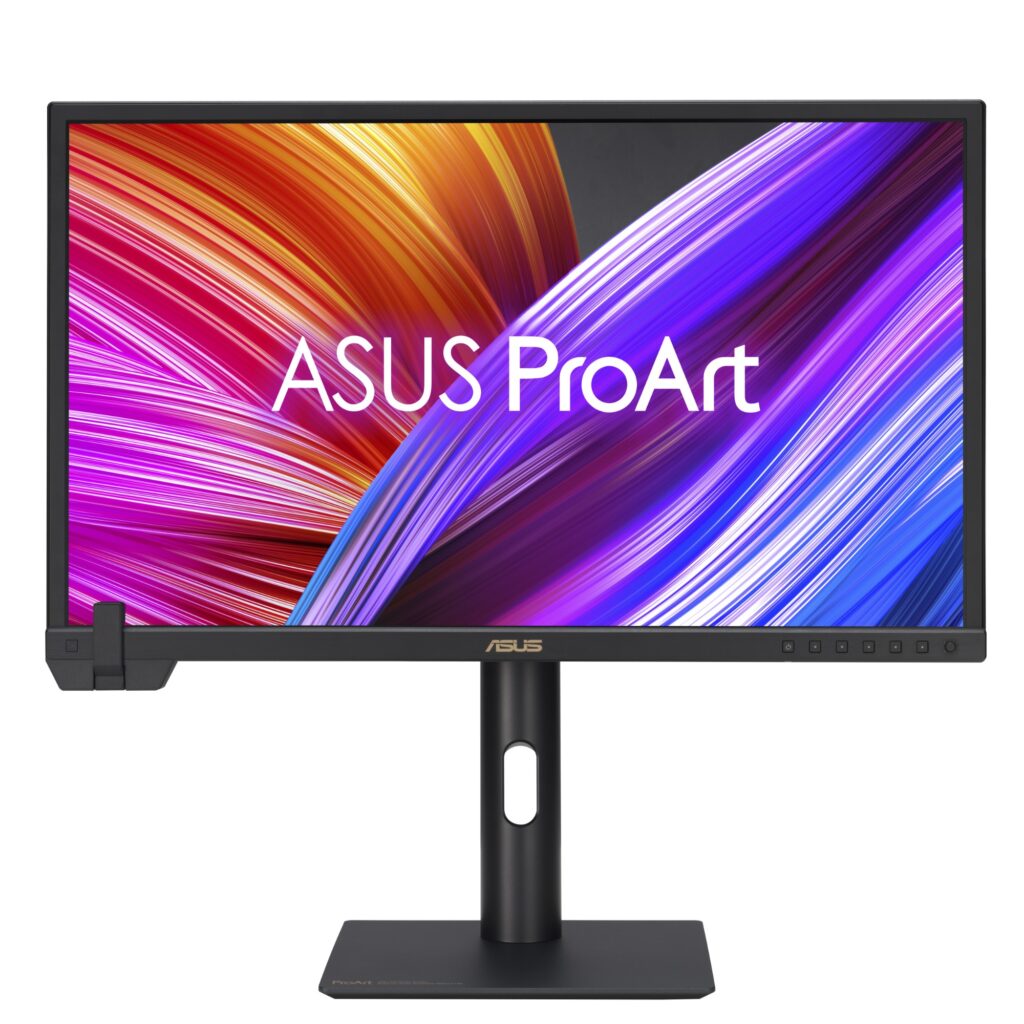
For content creators, having a reliable monitor is crucial for accurate color representation and detail. The ASUS ProArt PA24US, with its 23.6-inch 4K HDR display, is designed specifically to meet these needs. With a resolution of 3840 x 2160 pixels, this monitor offers a high pixel density that enhances the clarity of images and video, making it an ideal choice for professionals in photography, videography, and graphic design.
This monitor stands out with its 99% Adobe RGB and 95% DCI-P3 color coverage, ensuring that colors are not just vivid but also true to life. Additionally, features like the built-in motorized flip colorimeter for auto-calibration add significant value for users who prioritize color accuracy in their work.
Pros
- High pixel density of 187 PPI for sharp visuals
- 99% Adobe RGB and 95% DCI-P3 color coverage for accurate color reproduction
- 12G-SDI input supports uncompressed 4K@60Hz video
- 600 nits peak brightness with VESA DisplayHDR 600 certification
- Built-in self-calibration feature for consistent color accuracy
- Compatible with major calibration software like Calman and Light Illusion ColourSpace CMS
Cons
- Limited screen size may not suit those needing larger displays
- No USB-C connectivity, which could limit modern device compatibility
- Higher price point compared to standard monitors lacking advanced features
- Firmware updates required for some calibration functionalities
Who It’s For
Digital Imaging Technicians (DITs) needing quick color grading on set
Colorists who require precise color reproduction for video editing
Filmmakers and video editors working with HDR content and looking for high fidelity visuals
How We Evaluated
The evaluation of the ASUS ProArt PA24US focused on its color accuracy, resolution, and connectivity options. Key specifications such as the 3840 x 2160 resolution and color coverage percentages were compared against other monitors in the professional category, including models from brands like Dell and Eizo. The 12G-SDI input capability was also a significant criterion, as it allows for high-quality video transmission, which is essential for professional use.
We also considered user reviews and expert opinions to gauge the real-world performance of the monitor, particularly in color-critical applications. The built-in calibration features were assessed for their practicality and effectiveness, especially for professionals who may not have access to external calibration tools.
Affiliate Disclosure: This article contains affiliate links. When you purchase through links on our site, we may earn a commission at no additional cost to you. Our editorial team independently selects products based on research and testing. We only recommend products we genuinely believe in.