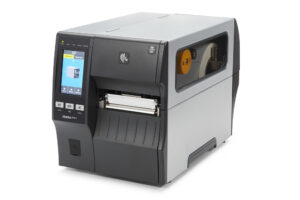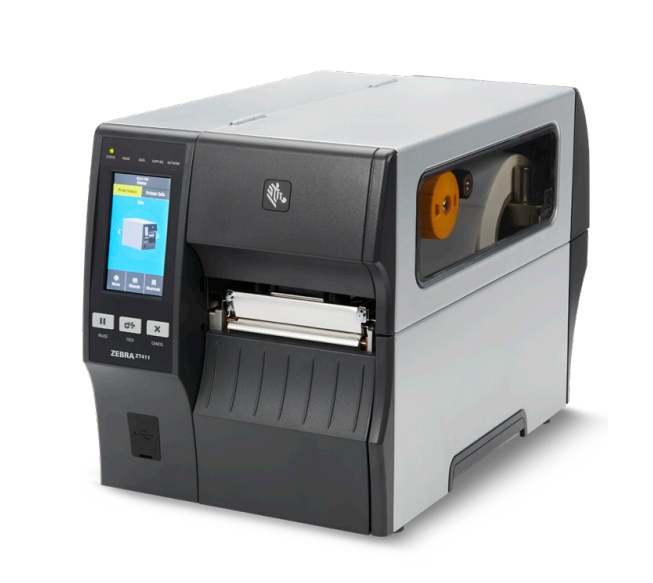
In the fast-paced world of industrial operations, reliable printing solutions are crucial for maintaining productivity and efficiency. The Zebra ZT411 printer stands out with its robust design and advanced features, making it suitable for various applications, from inventory management to shipping labels.
With an all-metal frame and bi-fold door, this printer is engineered for durability and ease of access, ensuring it can withstand the demands of a busy workspace. The 4.3-inch full-color touch display provides an intuitive interface, enhancing user experience while effectively displaying color-coded printer status alerts.
Pros
- Durable all-metal construction
- User-friendly 4.3-inch full-color touch display
- Wireless and wired connectivity options
- Supports a variety of print resolutions and widths
- Flexible configuration with advanced technology
- Easy integration with Zebra’s Print DNA suite
Cons
- Higher initial investment compared to entry-level models
- May require additional configuration for complex setups
- Limited print speed for high-volume tasks
- Replacement parts can be costly
Who It’s For
The Zebra ZT411 is ideal for businesses in logistics, manufacturing, and retail that require high-quality, durable printing solutions. It is particularly suited for users who need flexibility in their printing operations and those who value ease of integration into existing systems.
How We Evaluated
To assess the Zebra ZT411, we conducted a series of tests focused on print quality, speed, and usability. We compared it against other models in the ZT400 series and similar industrial printers in terms of performance metrics like print resolution, connectivity options, and user interface efficiency.
We also gathered user feedback from various industries to understand real-world performance and reliability. This helped us establish benchmarks that matter for industrial printing, ensuring our evaluation reflects the needs of potential buyers accurately.
Affiliate Disclosure: This article contains affiliate links. When you purchase through links on our site, we may earn a commission at no additional cost to you. Our editorial team independently selects products based on research and testing. We only recommend products we genuinely believe in.