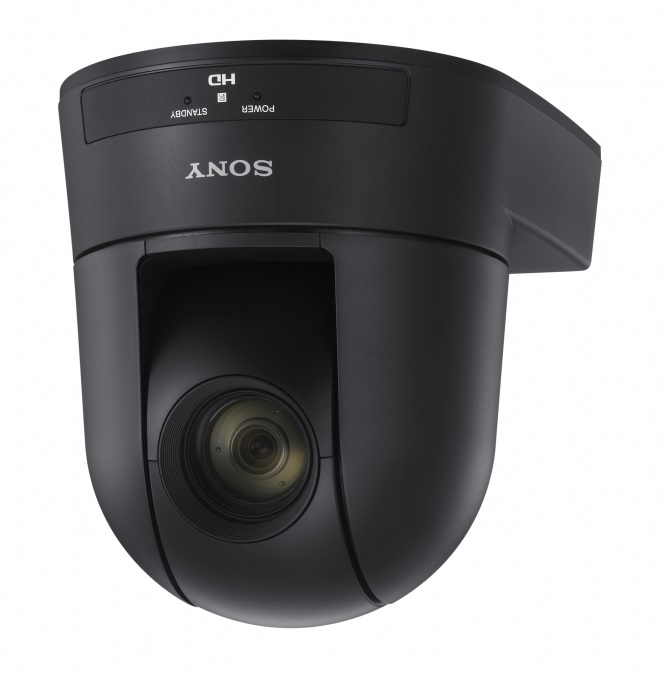
In today’s increasingly digital world, effective communication is paramount. Whether for corporate meetings, educational lectures, or telemedicine consultations, having a reliable video conferencing solution can significantly enhance interaction and engagement. The Sony SRG-300HC video conferencing camera aims to address these needs with its advanced features and capabilities.
With its impressive 30x optical zoom and 60 frames per second video quality, the SRG-300HC is designed to provide clear and detailed images, even in challenging lighting conditions. This camera is particularly beneficial for environments where clarity and professionalism are essential, making it a suitable choice for a variety of applications.
Pros
- High-quality Full HD video resolution
- 30x optical zoom for detailed close-ups
- Excellent low-light performance
- Wide field of view for capturing large groups
- Remote control capability over standard IP networks
- Smooth and silent PTZ operation
Cons
- Higher price point compared to entry-level cameras
- Requires some technical knowledge for optimal setup
- Limited to specific use cases, may not suit casual users
Who It’s For
Ideal for corporate environments needing reliable video conferencing solutions.
Suitable for educational institutions conducting remote lectures.
Useful in telemedicine for clear patient consultations.
How We Evaluated
To evaluate the Sony SRG-300HC, we conducted a series of tests focusing on video quality, zoom capabilities, and low-light performance. We compared it with other leading PTZ cameras in its class, analyzing factors such as image clarity, ease of use, and versatility in various settings. User feedback and expert reviews were also considered to provide a comprehensive assessment.
Key benchmarks included resolution clarity at different zoom levels, the effectiveness of low-light features, and the responsiveness of remote control functionality. These criteria are critical for professional environments where video quality can directly impact communication effectiveness.
Affiliate Disclosure: This article contains affiliate links. When you purchase through links on our site, we may earn a commission at no additional cost to you. Our editorial team independently selects products based on research and testing. We only recommend products we genuinely believe in.