

Product Description
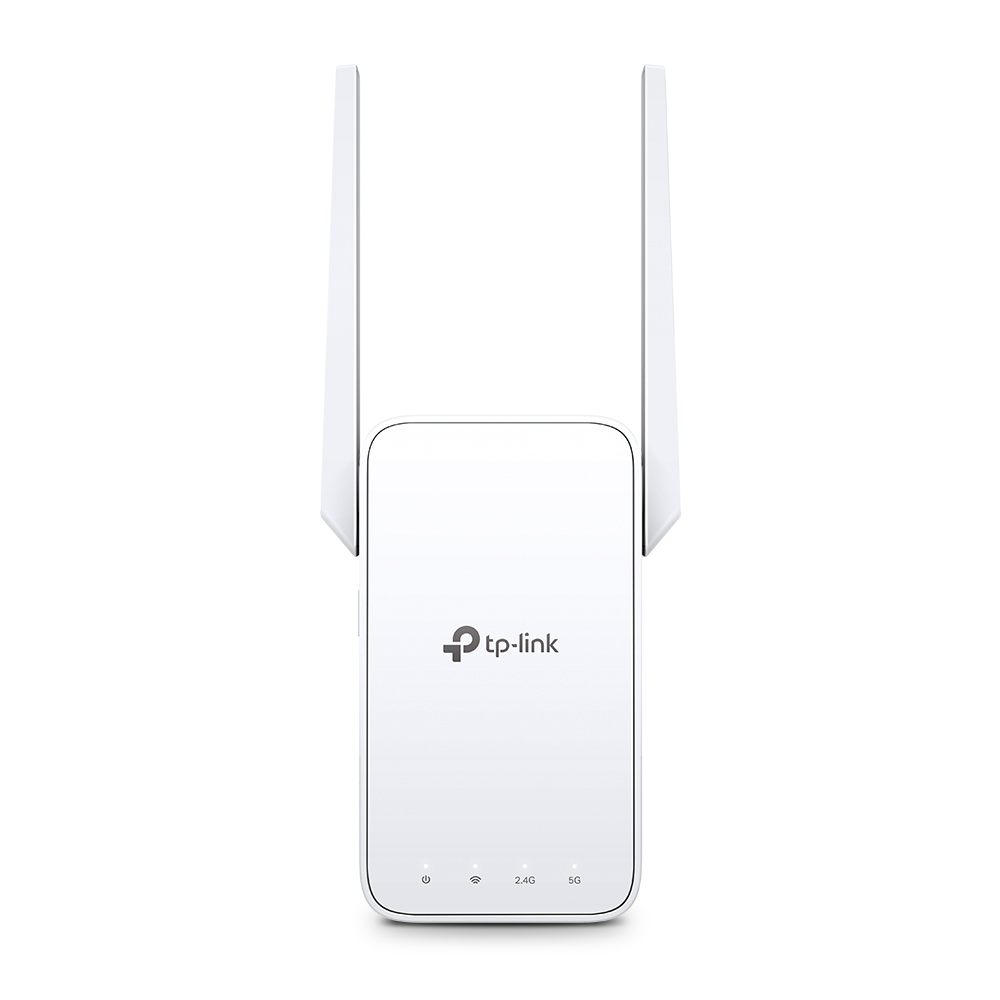
- Expand Dual Band WiFi EverywhereAC1200 Mesh WiFi ExtenderBoost Whole Home WiFi with Your Existing RouterA single router has limited WiFi coverage and always causes WiFi dead zones.
- RE315 wirelessly connects to your existing router and expands its WiFi signal into areas it can’t reach on its own.
- Enjoy your stable network experience wherever you are at home.
- WiFi keeps Strongest for Unlimited MovingWith TP-Link Mesh Technology. it’s easy to form a Mesh network with a single WiFi name for seamless whole home coverage.
- Just connect RE315 to a OneMeshTM router.
- Always enjoy the strongest WiFi when you’re walking around with no need to search around for a stable connection.
- Enjoy a Mesh Network with Your Existing RouterWant a Mesh network? Hesitate on whether to replace your existing router and buy a Mesh set?TP-Link OneMesh™ resolves your dilemma.
- Faster Dual Band WiFi up to 1200 MbpsRE315 delivers dual band (2.4 GHz and 5 GHz) to transmit WiFi signals. doubling the performance of each band.
- It enables you to keep more devices connected at the same time with its 300 Mbps 2.4 GHz and 867 Mbps 5 GHz dual bands.
- Use the 2.4 GHz band to send email and browse the web and the 5 GHz band for gaming and HD streaming.
- Adaptive Path Selection: Keeps Itself Working at Top SpeedAdaptive Path Selection keeps your network running at optimal speeds by automatically choosing the fastest connection path to the router.
- Always keep your devices fast and stable—ideal for network environments crowded with many devices and applications.
- High Speed Mode: Maximized Speed with Dedicated BackhaulUses one dedicated WiFi band as backhaul and another dedicated WiFi band as an access point to maximize the bandwidth on the extended WiFi.
- Built-In Access Point ModeRE315 is more than a wireless range extender.
- Simply plug an Ethernet cable into its Ethernet port and easily turn your wired internet connection into a 2×2 MIMO dual band wireless access point.
- Secure One-Touch Connection for Easy SetupStep 1: Simply press the WPS button on your router and. within 2 minutes. the WPS button on RE315 will connect to the network.
- Step 2: Once connected. place RE315 at the best location—without reconfiguration.
- Find the Best Location with the Smart Signal IndicatorThe smart signal indicator lets you see signal strength from the existing router at a glance.
- Easily to find the best place to position your range extender to extend your WiFi.
- Control at Your FingertipsSet up and manage your WiFi through the TP-Link Tether app from your smartphone (Android. iOS). including TP-Link routers and range extenders.
Specifications
| Brand Id | 16646 |
|---|---|
| Specifications | TP-Link AC1200 Mesh Wi-Fi Range Extender |
| Language | en_GB |
| Delivery Time | Standard delivery in 3 working days |
| Delivery Cost | £0.00 |
| Warranty | 1 year |
| Condition | new |
| Keywords | TP-Link AC1200 Mesh Wi-Fi Range Extender |
Affiliate Disclosure: We may earn a commission when you purchase through our links, at no extra cost to you. This helps support our independent reviews. Learn more