

Product Description
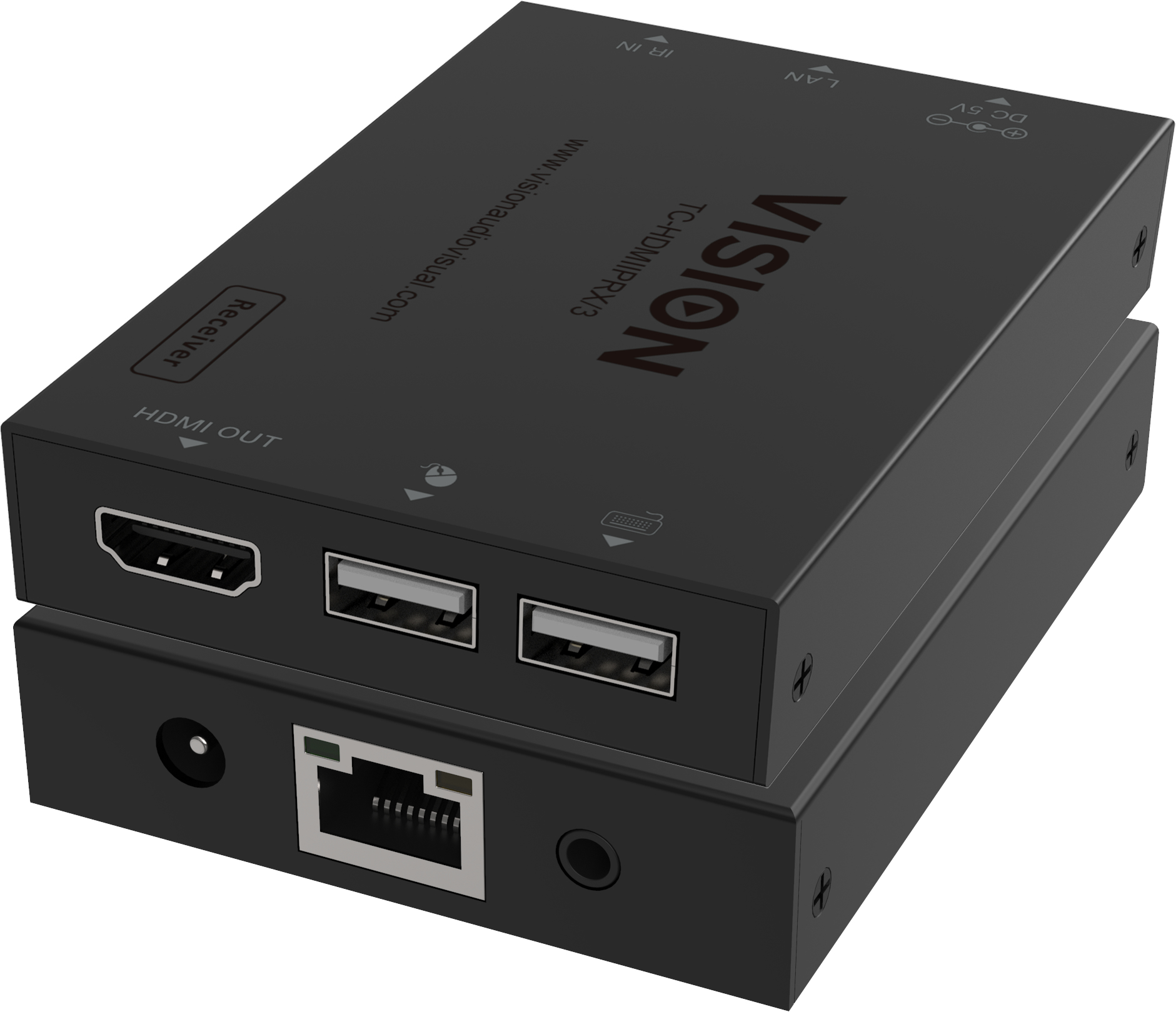
- The TC-HDMIIP/3 converts HDMI signal into TCP/IP packets for transmission over a standard LAN network.
- With no visible loss of video quality it is perfect for corporate and digital signage applications.
- Beware of cheap alternatives that flood your network!USB Over NetworkIt can support USB version 1.1 from the transmitter to all receivers.
- Each receiver has two USB ports for adding flexibility.
- This is for USB peripherals like keyboard. mice. but not applications that demand high bandwidth like interactive displays.
- ScalableTransmitters and receivers sold separately so you can scale your system.
- Advanced EDID CopyA reset button restores EDID to default. or for advanced applications holding either of the reset buttons down will copy the display EDID to the transmitter.
- One to ManyNeed to display one source on many screens? This product multi-casts. so you can have one transmitter for the source. and over 100 x receivers can sit on the network – one for each display.
- Only one transmitter per network.
- Point to Point without LANConnect one transmitter directly to a receiver and completely bypass a network.
- This will work with a standard CAT6 cable up to 150 m (492 ft) on a high quality cable.
- Maximum LengthWhen using a LAN the signal will be repeated by each node on the network. resulting in unlimited length.
- HDFully HDCP 1.4 compliant. it supports resolutions up to 1920 x 1200 @ 60 Hz.
- AudioDigital audio which is encoded on the HDMI signal is transmitted.
- IR Pass-ThroughControl the source device from the display with the IR pass-through.
- An IR blaster and receiver cable is included. and it supports standard 20-60 kHz IR signals.
- Plug and PlayEDID (extended display identification data) is automatically passed through.
- Just connect everything together and it will work immediately.
- H.265 CompressionVideo is compressed using the H.265 protocol.
- Images are full colour with smooth motion.
- LAN ProtocolsDespite using the standard IP protocols you don’t need to be a network engineer.
- All end points must be on the same subnet… that’s all you need to know.
- For best results use a stand-alone network for this system.
- Dual-PowerThis product requires a power supply for each transmitter and receiver.
- It does not use PoE.
- Unmanaged SwitchMany video-over-IP solutions require a managed switch so that IGMP snooping can be enabled. but in this case no advanced switch setup is required.
- A low cost unmanaged switch can be used.
- Multiple SourcesIf you need more than one source to be distributed over one physical LAN you can use Virtual LANs to separate the topologies.
- The systems are kept separate and cannot be used as a matrix.
- A DHCP switch assigns IP addresses to each end point and is used to create the vLANs.
- Auto StandbyIf the input is shut off the display will be allowed to go to sleep.
- Not Backward CompatibleThis version uses a Sigmastar chipset and is not compatible with the previous v2 product which uses a HiSilicon chipset.
Specifications
| Brand Id | 17446 |
|---|---|
| Specifications | Vision HDMI-over-IP Receiver AV receiver Black |
| Language | en_GB |
| Delivery Time | Standard delivery in 3 working days |
| Delivery Cost | £0.00 |
| Warranty | 1 year |
| Condition | new |
| Keywords | Vision HDMI-over-IP Receiver AV receiver Black |
Affiliate Disclosure: We may earn a commission when you purchase through our links, at no extra cost to you. This helps support our independent reviews. Learn more