

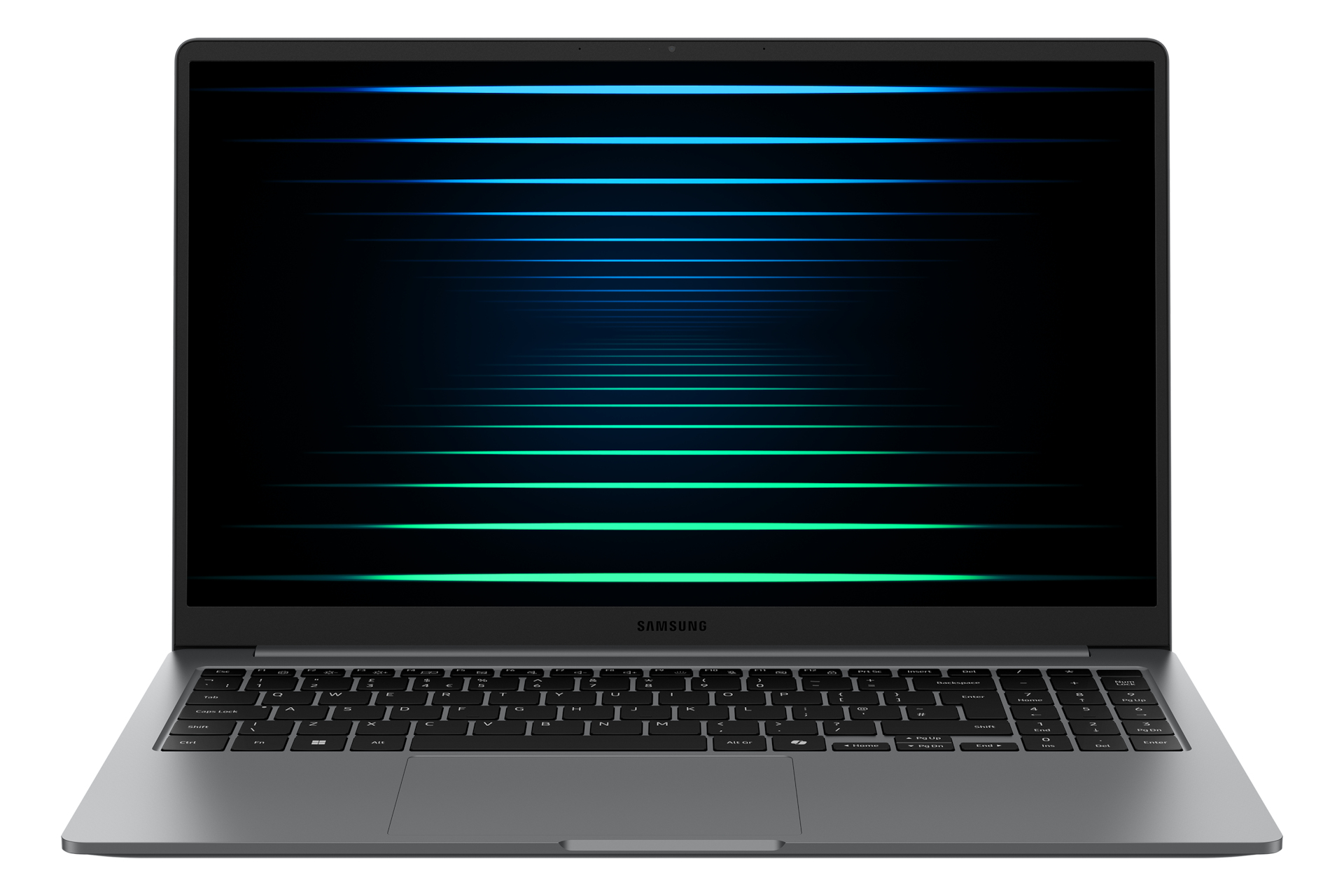
Product Description
- Unlock supercharged PC performanceExperience a boost in PC performance with Intel® Core™ Ultra (Series 2). next-gen Intel® Graphics. and NPU. Use AI to help you power up your workflow with smooth coding and fluent content creation. then immerse yourself in realistic. action-packed gaming when you want to unwind.
- Instant search. right where you areFound something interesting while browsing? AI Select turns your curiosity into answers — on the spot.
- Simply select it. whether it's an image. text. or QR code and get instant search results.
- It's quick. intuitive. and fits right into your study flow.
- Launch AI with one pressA single press is all it takes to launch Copilot — the dedicated key on the keyboard of Galaxy Book5 puts personalised AI assistance at your fingertips for instant access when you need it.
- Stay powered up with a long-lasting batteryCharge once to stay productive with the long-lasting battery of Galaxy Book5. supporting up to 19 hours of video runtime.
- To power up. plug in the compact charger to get up to 33% in just about 30 minutes using fast charging.
- Surround yourself with Dolby Atmos audioTuned with Dolby Atmos. the speakers on Galaxy Book5 fill your space with rich. immersive sound.
- Whether you're catching up with studies. video chatting or tuning into your favorite music. enjoy dynamic audio that keeps you engaged from start to finish.
- Plug and playGalaxy Book5 is equipped with a wide range of ports.
- Hook up essential devices to your workstation with ease using the built-in HDMI. two USB-A and two USB-C ports. microSD slot and even an RJ45 port for high-speed LAN connections.
- Seamlessly pair and control Galaxy devicesNearby devices lets you connect and operate your Galaxy devices in an instant.
- Open the menu on Galaxy Book5 to link devices with a simple drag-and-drop. then launch intuitive
- such as Multi Control and Storage Share between your phone.
- PC and Tab all from one connectivity hub.
- Storage Share.
- Explore files across devicesWith Storage Share. enjoy the freedom of using the storage on your phone and PC as one.
- Browse photos and play videos stored on your phone. edit mobile content and import it in your projects directly on your PC — no file downloading required.
- Quick Share.
- Swift. safe transfersSharing pics. docs and massive files between Samsung Galaxy devices is a breeze with Quick Share.
- Connect devices via direct wireless pairing for instant transfers. even if it's something sensitive — the private sharing feature encrypts your data with blockchain technology for safekeeping.
- Multiple devices. unified controlWith Multi Control. multitask seamlessly across Samsung devices using your PC's keyboard with a mouse.
- Navigate through menus. access files and data. copy and paste content easily between your laptop and your smartphone.
- Galaxy Tab.
- Samsung TV or Smart monitor.
- Bring along your Tab as a Second ScreenDouble your workspace by connecting Galaxy Tab as an additional display to your PC.
- Link the devices with just a click on your laptop. then take advantage of the extra space on Galaxy Tab with Extension.
- Duplicate and Rotation modes to rearrange your view.
- Access your mobile world on PCConnect your smartphone to your PC via Phone Link to access recently viewed webpages or launch up to 5 mobile apps right from your laptop.
- Use smart AI
- from your Galaxy smartphone and get an expanded view on the big screen of Galaxy Book5.
Specifications
| Brand Id | 14356 |
|---|---|
| Specifications | Samsung Galaxy Book5 (15.6". Core Ultra 5. 16GB) |
| Language | en |
| Delivery Time | Standard delivery in 3 working days |
| Delivery Cost | £0.00 |
| Warranty | 1 year |
| Keywords | Samsung Galaxy Book5 (15.6". Core Ultra 5. 16GB) |
Affiliate Disclosure: We may earn a commission when you purchase through our links, at no extra cost to you. This helps support our independent reviews. Learn more