

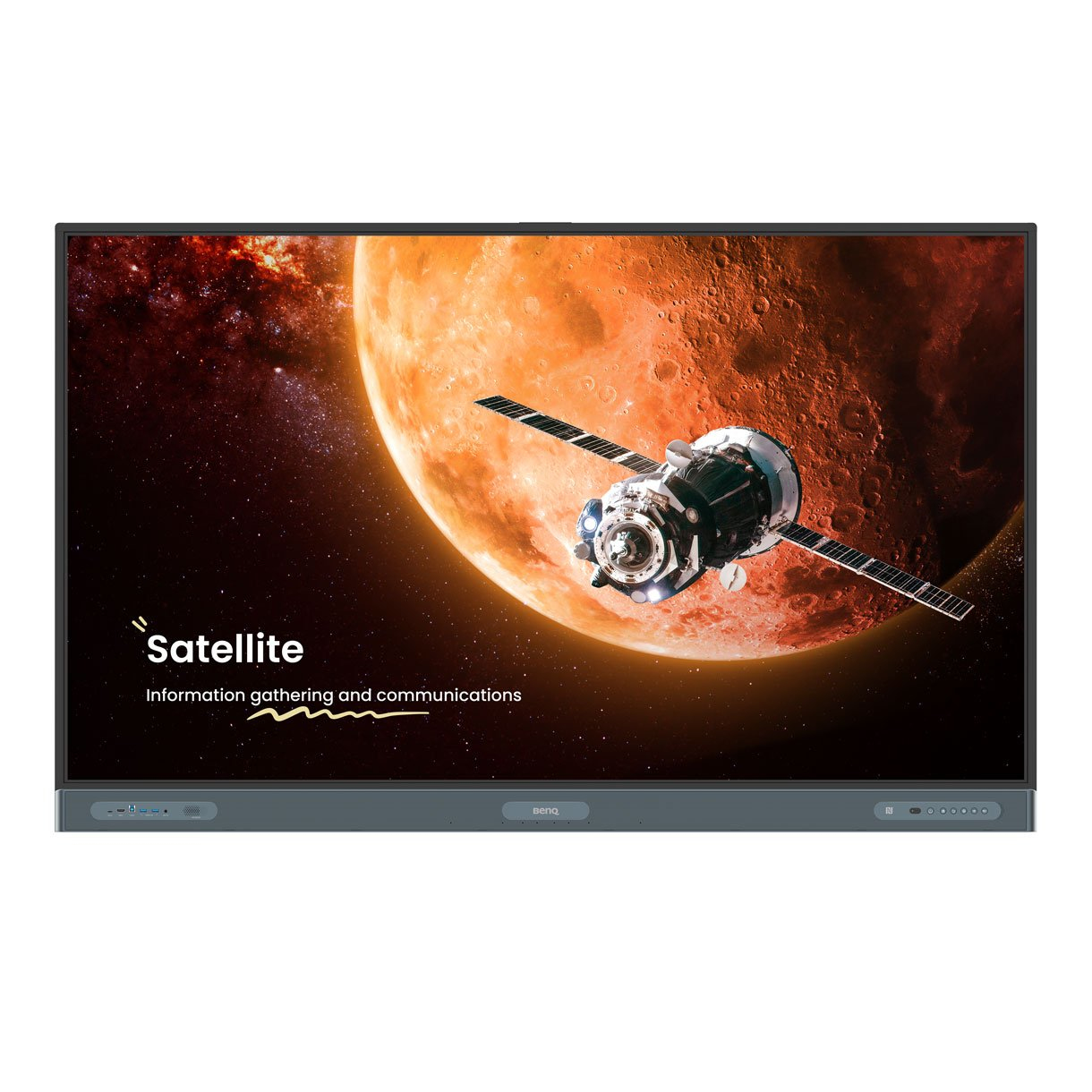
Product Description
- Teach in ways you never imaginedDiscover new ways to give lessons and take your teaching to the next level with our most powerful board yet.
- A very Google experienceThe new EDLA-certified BenQ Board Pro RP04 gives you the best possible classroom experience by combining the power of BenQ software and hardware with official Google services for education.
- Google PlayGet access to your favorite education apps right on the BenQ Board.
- Core servicesGoogle’s Core Services come preinstalled on the RP04.
- Collaboration toolsUse any of the Google Docs Editors to open lesson files directly from your board.
- Access your filesWith Google Drive on the board. you can conveniently open your cloud-based teaching materials and then save them back to your drive once class is done.
- Experience enhanced securityGoogle Play Protect safeguards your displays and prevents you from installing potentially harmful apps and malware.
- Hey Google…Get a helping hand while teaching by speaking to Google Assistant from your remote.
- Rely on efficient long-term performanceThe RP04 runs Android 13 on an 8-core Pro chipset ensuring its futureproof use and consistently fast performance.
- An unlimited canvasEZWrite is a powerful whiteboard with a collection of tools designed for more engaging lessons.
- It lets students get their hands on the board whether you’re teaching in person or online.
- No ordinary whiteboardEZWrite 6 lets you do more than just write and draw.
- You can expand the size of your canvas. split it into sections. pull up templates and measuring tools. and even share your live camera feed.
- Import.
- Edit.
- Share.
- EZWrite supports Office files so you can import slideshows. documents. sheets. or PDFs and use them to teach.
- Add notes during class. and save your session as an editable IWB file or export it as a PDF handout for your students.
- Borderless classroomsActivating cloud whiteboarding extends your session to remote students. wherever they may be.
- They can write and participate freely as if they were right in front of the board.
- AI tools for accessibility and inclusivityText-to-speechHave written text read aloud for everyone in class.
- Multilingual translationTranslate resources to different languages and access a world of content.
- OCRConvert text from images and documents to an editable format.
- An ideal teaching environmentThe RP04 comes out of the box with everything you need to give effective and engaging lessons.
- Your secure. exclusive spaceEach user gets secure access to their own personalised teaching space on the board. preventing others from compromising their data.
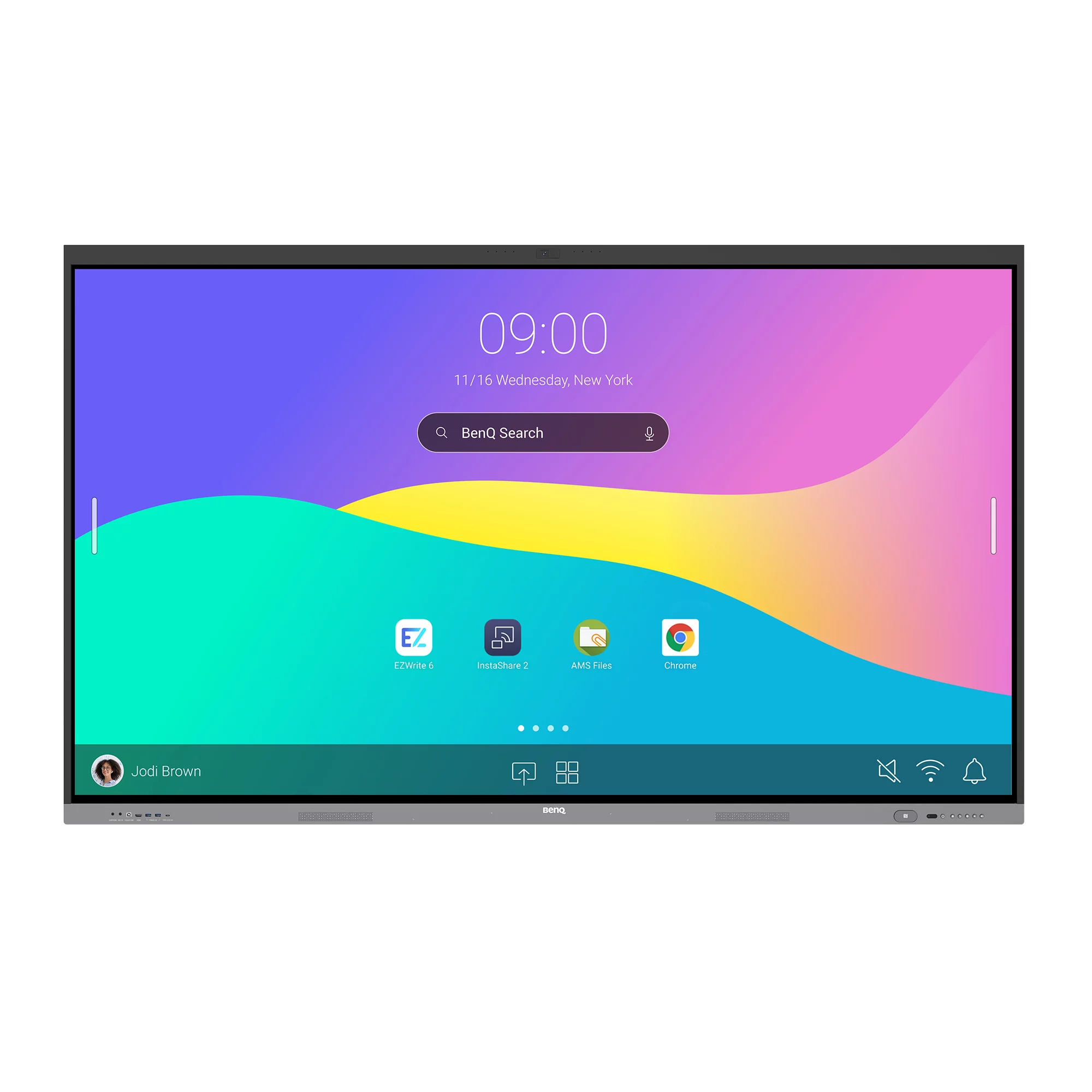
- Personalise your boardCustomise your teaching space by adding shortcuts. apps. and widgets on your home screen for convenient access.
- Log in your waySave time by logging in to the RP04 with a simple tap of your NFC card or by scanning the QR code with your phone.
- Access your cloud storage and load personal settings on any BenQ Board Pro easily and securely.
- Annotate anywhereThe built-in Floating Tool lets you write on top of any app. website. document. image. or content on the board or from connected devices.
- Shortcuts on the sideAccessible with just a tap. the sidebar gives you quick access to the Home screen. input sources.
- EZWrite. and all your most-used apps.
- Bigger. better searchWhether it’s a webpage or the lessons files stored in your cloud. the expanded BenQ Search helps you locate content with ease.
- Double your efficiencyThe split-screen mode lets you teach more efficiently as it allows you to use two apps side by side.
- You can whiteboard on the left while browsing other resources on the right.
- Convenient connectivityThe RP04 has multiple ports at the front for convenient connectivity.
- It also
- a 100W USB-C port that lets you display screens. charge devices. and enable touchback.
- Immersive soundExperience unmatched audio with the board’s two powerful 20-watt front-facing speakers and 16-watt subwoofer.
- Clear audio pickupThe RP04’s 8-microphone array with echo cancellation and noise reduction ensures that you’re heard loud and clear.
- A better writing experienceThe BenQ Board Pro encourages students to work together by providing a wide interactive space that offers lag-free touch response and a natural writing experience.
- Made for collaborationThe RP04 has up to 50 touch points. allowing multiple users to interact simultaneously.
- Like writing on paperHaving no gap in between the glass and the panel ensures smoother writing.
- Truly responsive touchWith Fine Ultra Precision IR. you get more accurate writing and interaction with the screen.
- AI-enhanced streaming and recordingCapture classes on high-quality video by plugging in the DV01K BenQ Board camera.
- Its AI
- —such as auto framing. active noise cancellation. and face and voice tracking—ensure a clear and dynamic video feed that is ideal for streaming and recording.
- AI-powered auto framingAI-powered speaker trackingActive noise cancellationAn easier way to shareYou don’t need wires to present content.
- With InstaShare 2. teachers an
Specifications
| Brand Id | 1814 |
|---|---|
| Specifications | BenQ 9H.F99TC.DE3 interactive whiteboard 2.18 m (86") 3840 x 2160 pixels Touchscreen Black |
| Language | en |
| Delivery Time | Standard delivery in 3 working days |
| Delivery Cost | £0.00 |
| Warranty | 1 year |
| Keywords | BenQ 9H.F99TC.DE3 interactive whiteboard 2.18 m (86") 3840 x 2160 pixels Touchscreen Black |
Affiliate Disclosure: We may earn a commission when you purchase through our links, at no extra cost to you. This helps support our independent reviews. Learn more