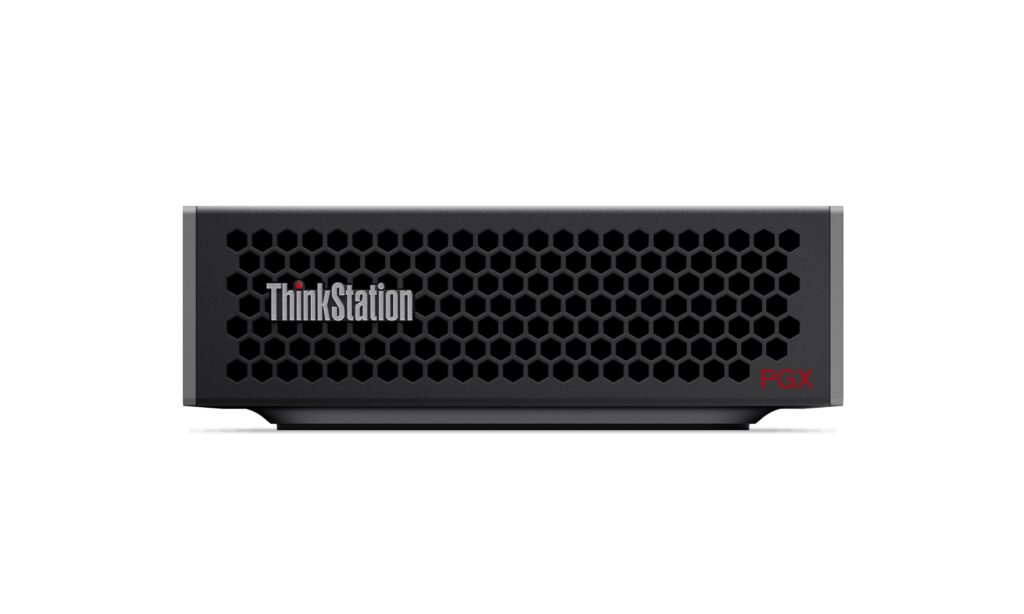
As AI development becomes increasingly integral to various industries, the need for efficient and powerful workstations is paramount. The Lenovo ThinkStation PGX addresses this need with a compact design that does not compromise on performance. Powered by the NVIDIA GB10 Grace Blackwell Superchip, it offers a robust platform for developers seeking to streamline their AI workflows right from their desks.
This small form factor workstation comes preloaded with the NVIDIA AI software stack, making it an accessible entry point for engineers and data scientists. By enabling on-device AI development, it eliminates the complexity and costs associated with cloud-based solutions, allowing users to focus on building and refining their models with ease.
Pros
- Compact design suitable for small workspaces
- Preloaded with NVIDIA AI software stack for immediate use
- Integrated environment for on-device AI development
- High-performance multicore ARM CPU for handling complex tasks
- Energy-efficient system-on-a-chip solution
- Secure sandboxed environment for prototyping without compromising security
Cons
- Limited upgrade options due to small form factor
- Potentially higher cost compared to traditional workstations
- May require specific knowledge of NVIDIA tools for optimal use
- Not suitable for users needing extensive graphical capabilities beyond AI tasks
Who It’s For
Ideal for AI developers and data scientists looking for a compact workstation. Suitable for small teams or individuals who require a powerful yet space-saving solution for AI model development.
How We Evaluated
To assess the Lenovo ThinkStation PGX, we examined its specifications and performance benchmarks in the context of AI development. Key criteria included processing power, memory capacity, and the efficiency of the preloaded software stack. We compared it against similar workstations available in the market to determine its competitive advantages and limitations.
Performance was evaluated based on real-world AI model training tasks, focusing on speed, scalability, and ease of use in a development environment. This involved testing with popular frameworks like PyTorch and Jupyter Notebooks, which are commonly used in the industry, ensuring that our evaluation reflects practical usage scenarios.
Affiliate Disclosure: This article contains affiliate links. When you purchase through links on our site, we may earn a commission at no additional cost to you. Our editorial team independently selects products based on research and testing. We only recommend products we genuinely believe in.