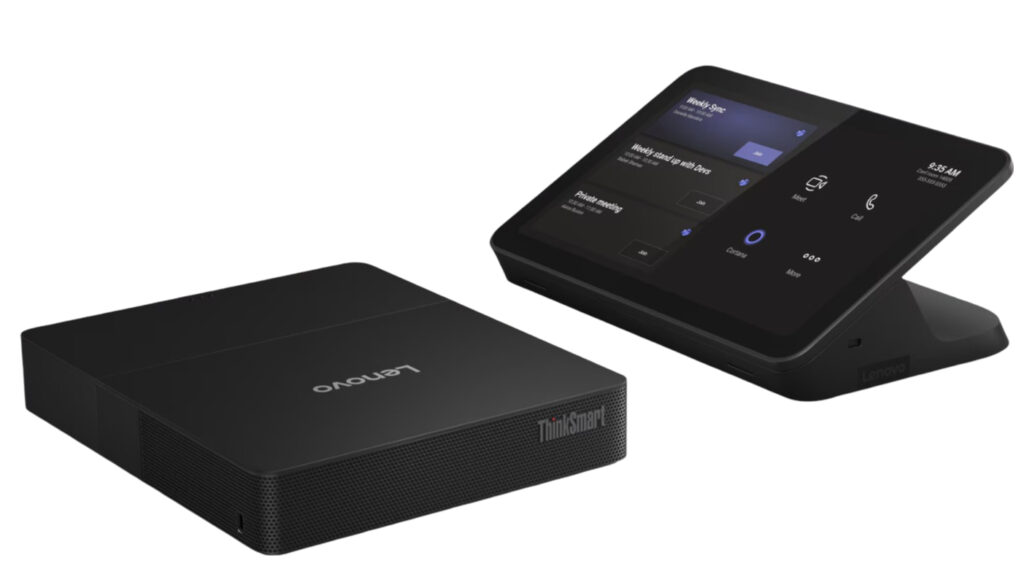
In today’s hybrid work environment, effective video conferencing solutions are essential for seamless collaboration. The Lenovo ThinkSmart Core Gen 2 is designed specifically for Microsoft Teams Rooms, addressing the need for a robust and user-friendly meeting solution. With its AI-optimized compute capabilities powered by the Intel Core Ultra processor, this device aims to enhance productivity and streamline the conferencing experience.
The ThinkSmart Core Gen 2 not only simplifies the setup of Microsoft Teams Rooms but also integrates advanced features like Intelligent Recap and AI-driven follow-up questions. These functionalities aim to ensure that meetings are not just a formality but a productive engagement, helping teams maintain momentum even after the session ends.
Pros
- AI-optimized for video conferencing
- Seamless integration with Microsoft Teams Rooms
- Intelligent Recap feature enhances post-meeting productivity
- Powered by Intel Core Ultra processor for efficient performance
- User-friendly setup and management
Cons
- Limited compatibility with non-Microsoft platforms
- May require additional peripherals for optimal performance
- Higher price point compared to generic solutions
Who It’s For
Ideal for businesses that rely heavily on Microsoft Teams for meetings
Perfect for organizations looking to upgrade their conference room technology
Suitable for IT managers seeking a reliable and efficient video conferencing solution
How We Evaluated
To assess the Lenovo ThinkSmart Core Gen 2, we considered its performance in real-world video conferencing scenarios, focusing on ease of use, integration capabilities, and overall user experience. We compared it against similar products in the market, particularly those designed for Microsoft Teams Rooms, to evaluate its strengths and weaknesses.
Key benchmarks included processing speed, AI functionality, and user feedback from organizations that have adopted this technology. Additionally, we reviewed technical specifications and compatibility with various conferencing setups to provide a comprehensive overview of its capabilities.
Affiliate Disclosure: This article contains affiliate links. When you purchase through links on our site, we may earn a commission at no additional cost to you. Our editorial team independently selects products based on research and testing. We only recommend products we genuinely believe in.