Ad: this article contains affiliate links. If you buy through them, we earn a commission at no extra cost to you. Our reviews are based on research into manufacturer specifications, retailer information and published sources; we have not tested every product ourselves. Prices and stock change often, so check the retailer before you buy.
Short answer
A 65W charger is sufficient for charging the MacBook Air, as it typically requires a power input of around 30W. Using a 65W charger can provide faster charging times without harming the device, thanks to its built-in power management system.
Understanding MacBook Air Charging Requirements
The MacBook Air, particularly models released in recent years, typically requires a power input of approximately 30W to charge efficiently. This means that a charger providing 65W of power is more than capable of charging the device. The MacBook Air’s internal power management system regulates the amount of power it receives, which prevents overcharging or damage when using a charger with a higher wattage than necessary.
It’s important to use a charger that matches the MacBook Air’s voltage and has a USB-C port to ensure compatibility. Chargers with higher wattage, such as 65W, do not harm the device, as the MacBook Air will only draw the power it needs. This makes a 65W charger a practical choice for users who want to ensure their device charges quickly and reliably.
Benefits of Using a 65W Charger
Using a 65W charger with your MacBook Air offers several benefits. One of the most significant is faster charging times, which is particularly useful if you’re frequently on the go and need to top up your device quickly. The higher wattage of the charger means it can provide more power than the MacBook Air typically requires, but the device will only draw the amount it needs.
Additionally, a 65W charger can be more versatile, as it can also be used to charge higher-powered devices like larger laptops or multiple devices simultaneously. This makes it an excellent option for those who want a single charger for all their gadgets, reducing the need to carry multiple chargers when travelling.
Worked Example: Lindy 65W USB 2 x Type C Charger
The Lindy 65W USB 2 x Type C Charger is a practical example of a charger that can efficiently handle the charging needs of a MacBook Air. With its dual USB-C ports, it provides a maximum of 65W, which is more than adequate for the MacBook Air’s requirements. This charger also supports fast charging for other devices, making it a versatile choice for users with multiple gadgets.
The Lindy charger utilises GaN technology, which allows for efficient power delivery in a compact form factor. This makes it ideal for travel, as it can easily be packed away without taking up much space. Its built-in safety features, such as overvoltage and overcurrent protection, ensure that your devices are charged safely.
Mistakes to Avoid When Choosing a Charger
One common mistake buyers make is assuming that a higher wattage charger will damage their device. However, modern devices like the MacBook Air have sophisticated power management systems that prevent overcharging by only drawing the power they need. Therefore, using a 65W charger is entirely safe for a device that typically requires 30W.
Another error is neglecting to check the compatibility of the charger with their device’s specifications. It’s crucial to ensure that the charger has the correct voltage and a compatible port type, such as USB-C, to avoid any charging issues. Always refer to your device’s manual or official specifications to confirm these details.
Checking Compatibility
To ensure that a 65W charger is suitable for your MacBook Air, always check the device’s official specifications. These can typically be found in the user manual or on the manufacturer’s website. Look for the required power input (usually around 30W for the MacBook Air) and ensure the charger provides the correct voltage and has a USB-C port.
Using a charger that doesn’t match these specifications could result in inefficient charging or potentially damage the device. When in doubt, opt for chargers that specifically mention compatibility with your device model, as this ensures that they meet the necessary requirements for safe and effective charging.
Products That Fit
Lindy 65W USB 2 x Type C Charger

It provides 65W power and supports fast charging for multiple devices, making it suitable for MacBook Air.
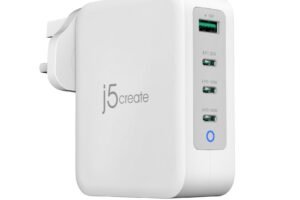
j5create JUP43130F-FN 130W GaN USB-C® 4-Port Charger
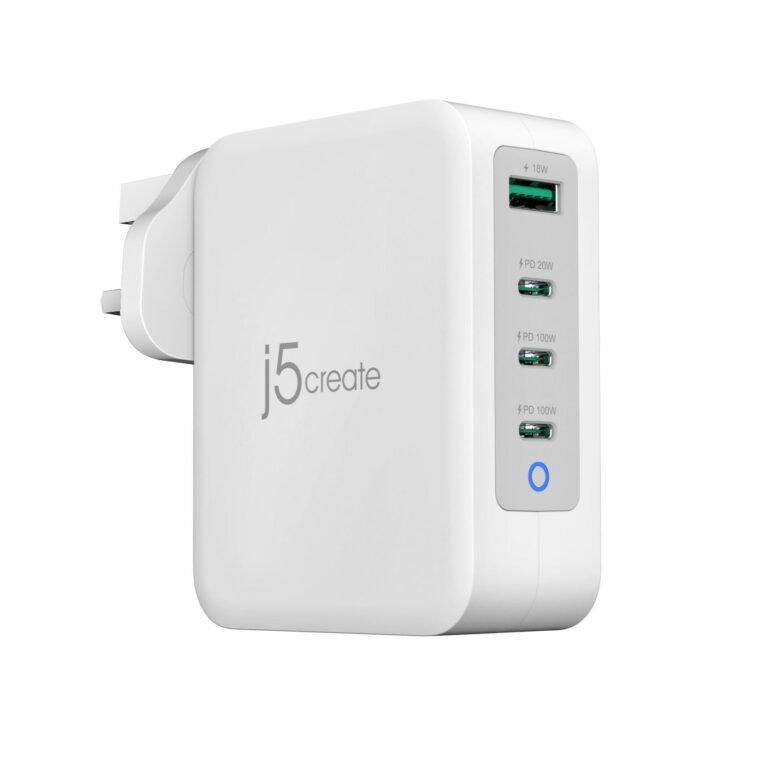
Offers high power with multiple ports, ideal for charging a MacBook Air and other devices simultaneously.
See all our picks in The Best Mobile Device Chargers in 2026.
Frequently Asked Questions
Can I use a higher wattage charger for my MacBook Air?
Yes, you can use a higher wattage charger as the MacBook Air’s power management system will only draw the power it needs, ensuring safe charging.
What happens if I use a lower wattage charger?
Using a lower wattage charger may result in slower charging times or the device not charging at all if the power output is insufficient.
Is GaN technology important for chargers?
GaN technology allows chargers to be more efficient and compact, enabling faster charging speeds and reduced energy loss compared to traditional chargers.