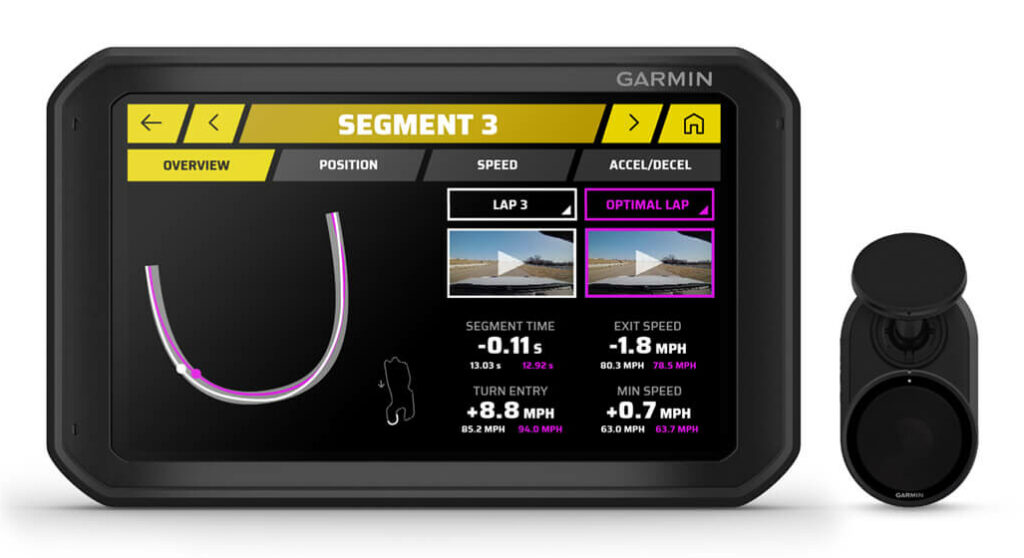
For drivers looking to enhance their track performance, the Garmin Catalyst navigator offers a unique solution. This device acts as a real-time coach, providing immediate feedback and performance data that can help drivers of all skill levels identify areas for improvement. By utilizing advanced positioning technology and real-time analysis, the Catalyst empowers users to optimize their driving techniques.
With a user-friendly interface and features like audio cues, lap tracking, and session analysis, the Garmin Catalyst is designed to fit seamlessly into the cockpit of any vehicle. Whether you are a novice seeking to learn the basics or a seasoned racer honing your skills, this navigator can significantly contribute to your driving development.
Pros
- Real-time performance feedback
- Audio coaching via Bluetooth
- Preloaded track database
- Automatic session analysis
- HD video capture with overlays
Cons
- Requires initial setup and calibration
- May be overwhelming for casual drivers
- Limited battery life during extended sessions
Who It’s For
Ideal for amateur and professional racers looking to improve lap times. Suitable for driving enthusiasts who frequently participate in track days or competitive events.
How We Evaluated
To assess the Garmin Catalyst, we conducted hands-on testing during various track sessions, focusing on its accuracy in lap timing and performance feedback. We compared its functionality against other driving aids to evaluate its real-time coaching capabilities and ease of use.
Key benchmarks included the responsiveness of audio cues, the accuracy of GNSS positioning, and the clarity of the displayed data. We also considered user feedback from a range of drivers to gauge the effectiveness of its coaching features in practical scenarios.
Affiliate Disclosure: This article contains affiliate links. When you purchase through links on our site, we may earn a commission at no additional cost to you. Our editorial team independently selects products based on research and testing. We only recommend products we genuinely believe in.