

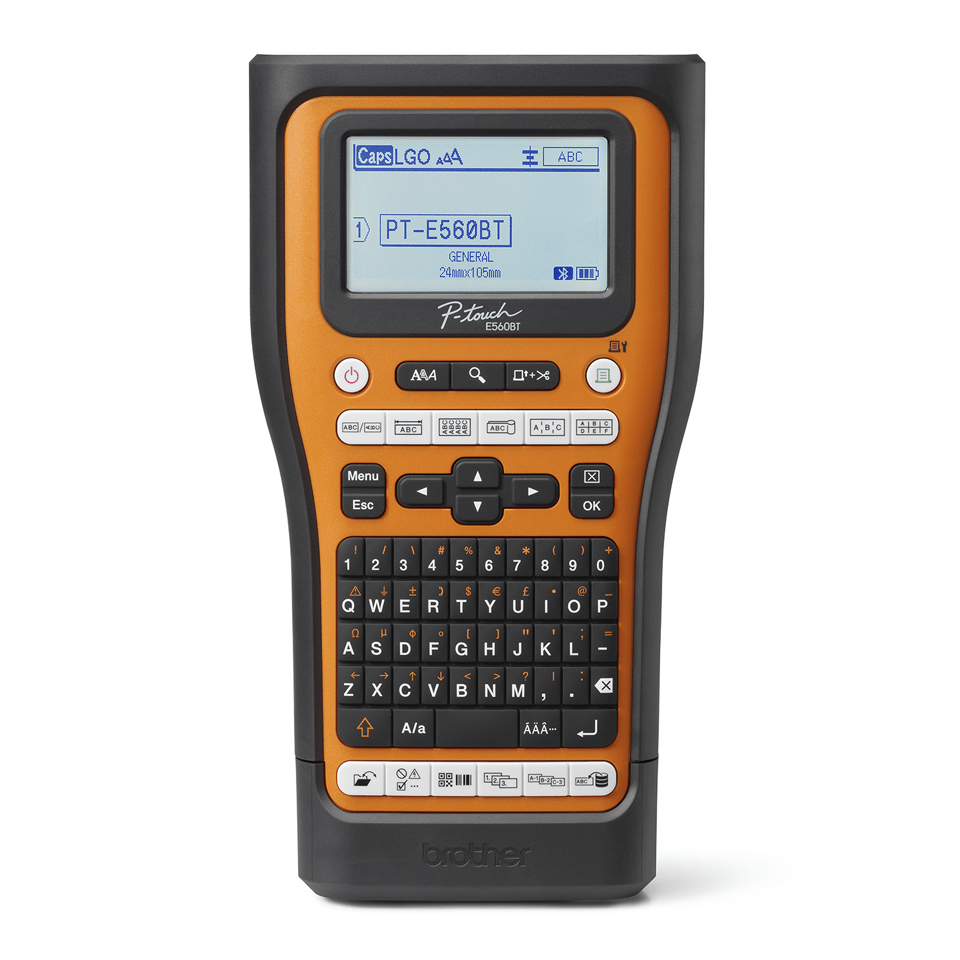
In professional environments where clear identification of cables and equipment is essential, the need for a reliable labelling solution cannot be overstated. Electricians, datacom technicians, and security installers often find themselves in situations where durable labels are required on-site to ensure safety and compliance. The Brother PT-E560BTVP label printer is designed specifically for these professionals, combining user-friendliness with robust functionality.
This labelling machine stands out with its integrated Bluetooth capability, allowing users to print labels directly from their smartphones or tablets using Brother’s Pro Label Tool App. With a large graphic display and dedicated functions for common labelling tasks, this device aims to streamline the labelling process, making it efficient and effective in high-demand environments.
Pros
- Integrated Bluetooth for mobile printing
- Large backlit display with print preview
- Automatic cutter with easy-peel function
- Supports various durable Pro Tapes for different applications
- Instant access to common industry templates via one-touch keys
- Compatible with Brother’s iLink&Label app for enhanced workflow
Cons
- Limited print resolution of 180 x 180 DPI may not suit all applications
- TZe-tapes must be purchased separately, adding to overall cost
- Initial setup requires downloading additional apps which may be cumbersome for some users
- Not suitable for very high-volume printing needs due to tape limitations
Who It’s For
Electricians needing to label wires and conduits clearly and durably.
Telecom technicians looking for efficient cable identification solutions on-site.
Security equipment installers who require compliance with industry standards for labelling.
How We Evaluated
The Brother PT-E560BTVP was evaluated based on its functional specifications, usability, and compatibility with professional labelling needs. Key features such as the Bluetooth connectivity and the variety of compatible tapes were compared against similar products in the market, including the DYMO LabelWriter and Epson LabelWorks series. Specific attention was given to durability, print quality, and ease of use, as these factors are critical in professional settings.
We also considered user feedback and expert reviews to assess the practicality of the label printer in real-world applications. The inclusion of industry-specific templates and compliance with standards such as ANSI/EIA/TIA-606A/B and UL-969 were major points of evaluation, ensuring the product meets the rigorous demands of professionals in the field.
Affiliate Disclosure: This article contains affiliate links. When you purchase through links on our site, we may earn a commission at no additional cost to you. Our editorial team independently selects products based on research and testing. We only recommend products we genuinely believe in.